
How to Cancel a Pending Withdrawal
Cancel a withdrawal that is still pending.
- 1
Log In
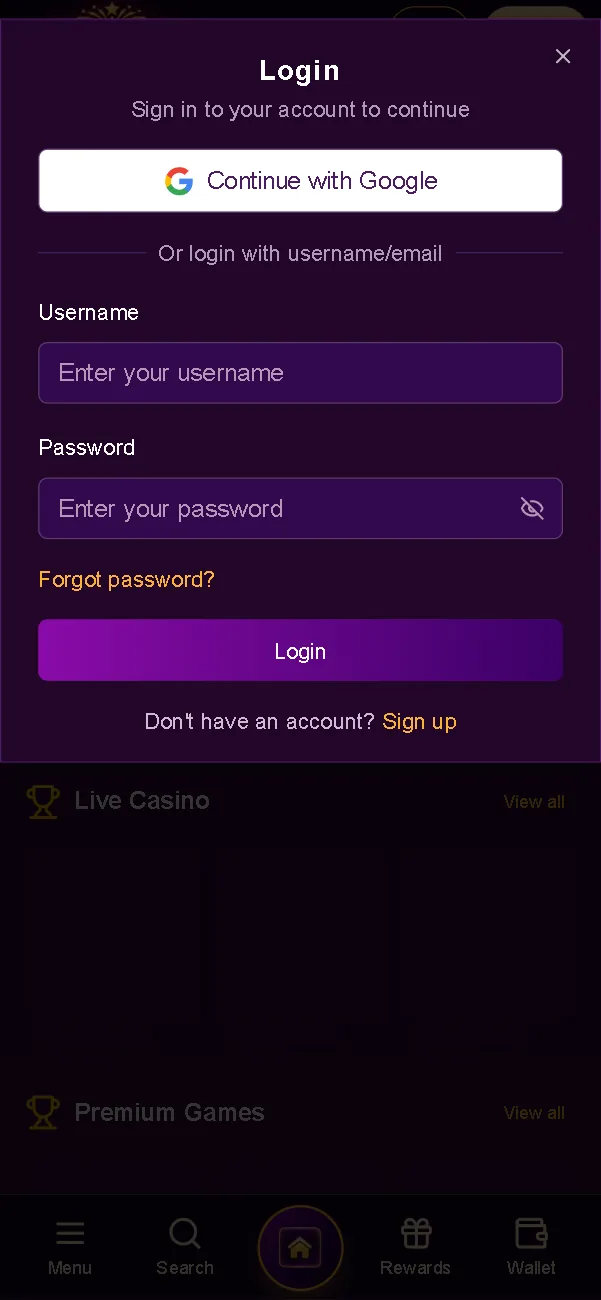
Open the website on your mobile browser.
Tap Login at the top right and sign in with your account.

- 2
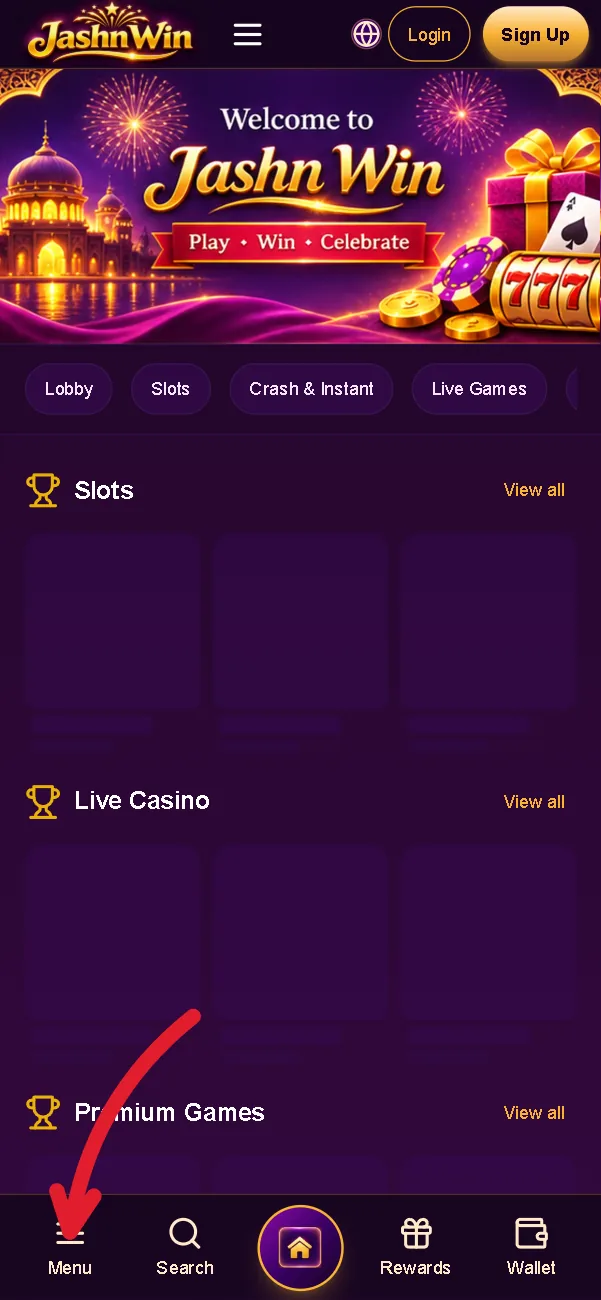
Open the Menu
Once logged in, tap the Menu icon at the bottom left of the screen.
- 3
Go to Withdraw
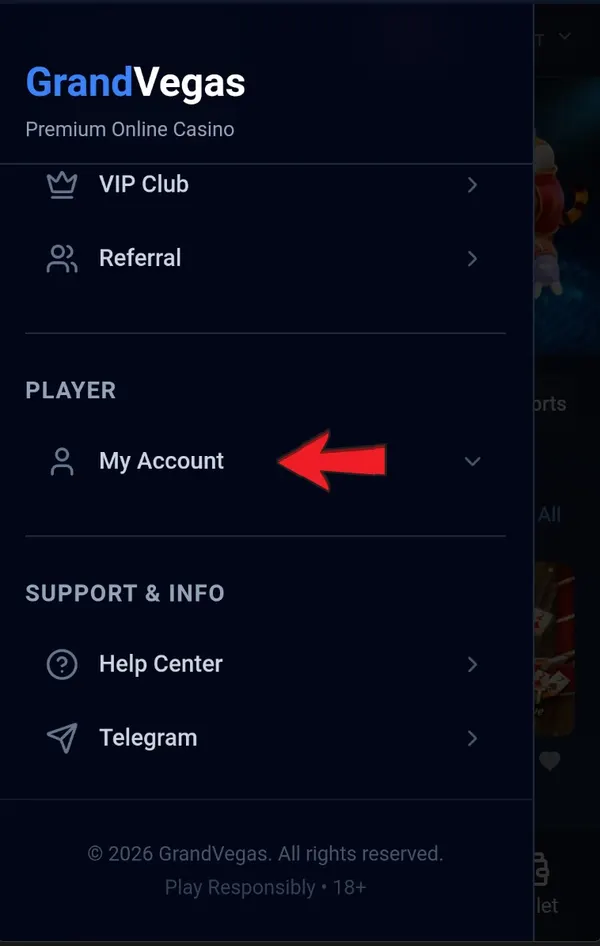
In the Player section, tap My Account.
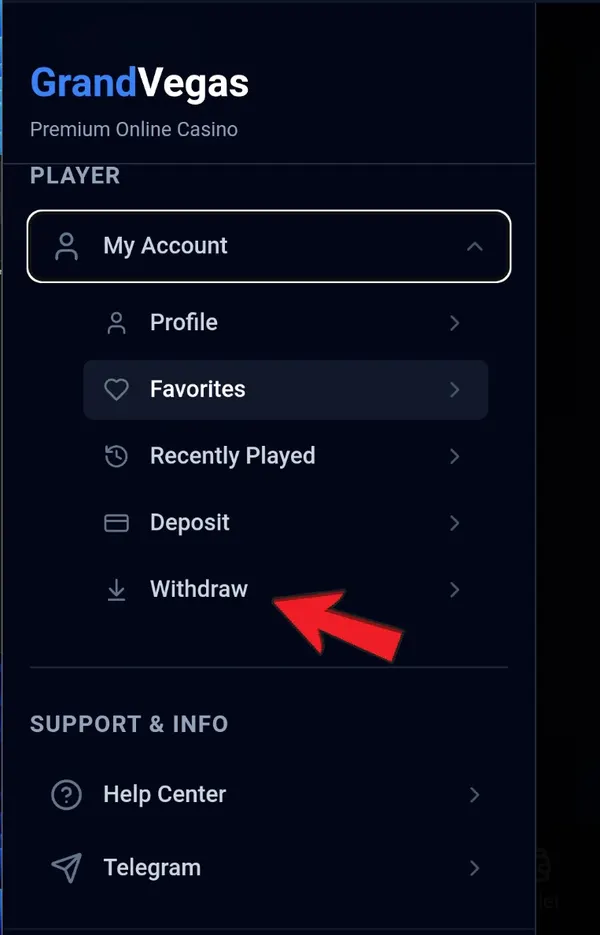
Under My Account, select Withdraw.
- 4
Cancel pending withdrawals
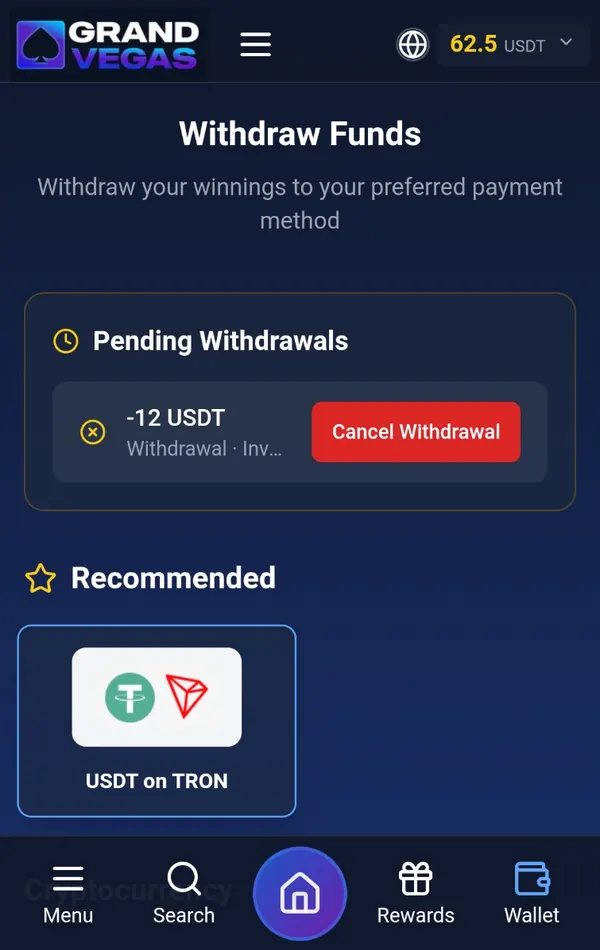
- In the Withdraw section, look for Pending Withdrawals.
- Tap the withdrawal you want to cancel.
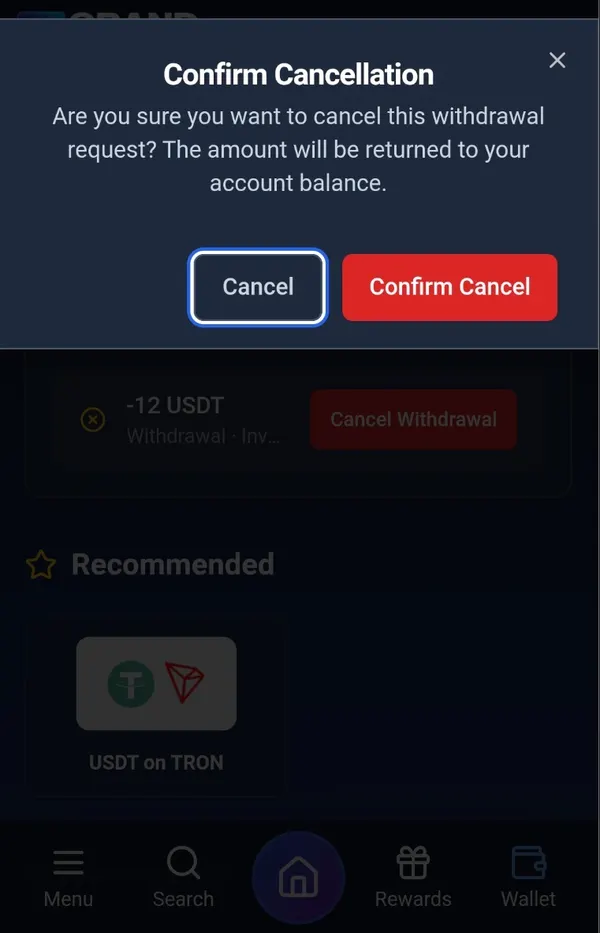
- Click Cancel Withdrawal, then Confirm your cancellation.
- The request will be stopped, and the funds will remain in your account balance.
- 5
Cancel via Transaction History (alternative method)
You can also cancel withdrawals through Transaction History:
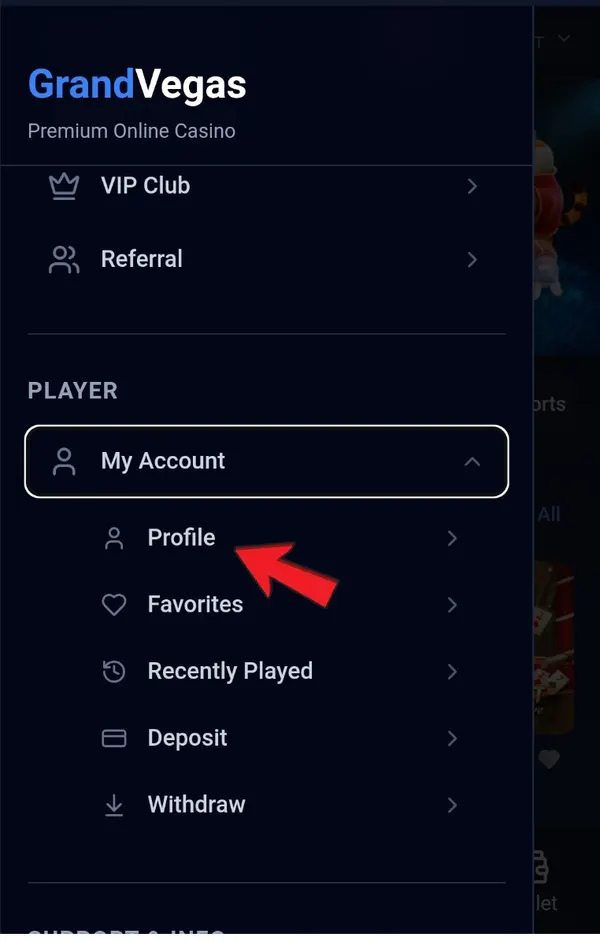
- Under My Account, tap Profile.
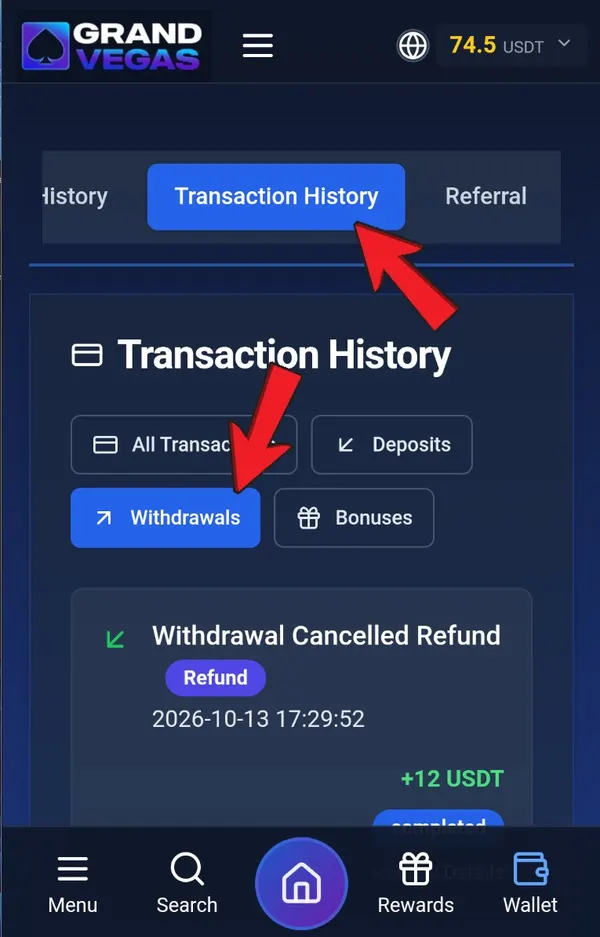
- Scroll right to left until you see Transaction History.
- Tap it, then select Withdrawals.
- Find the pending withdrawal, tap Cancel, and then Confirm your cancellation.
Still need help? Visit the Help Center or email [email protected].