
How to Check Your VIP Status and Benefits
See your VIP level, progress, benefits and reward history.
- 1
Log In
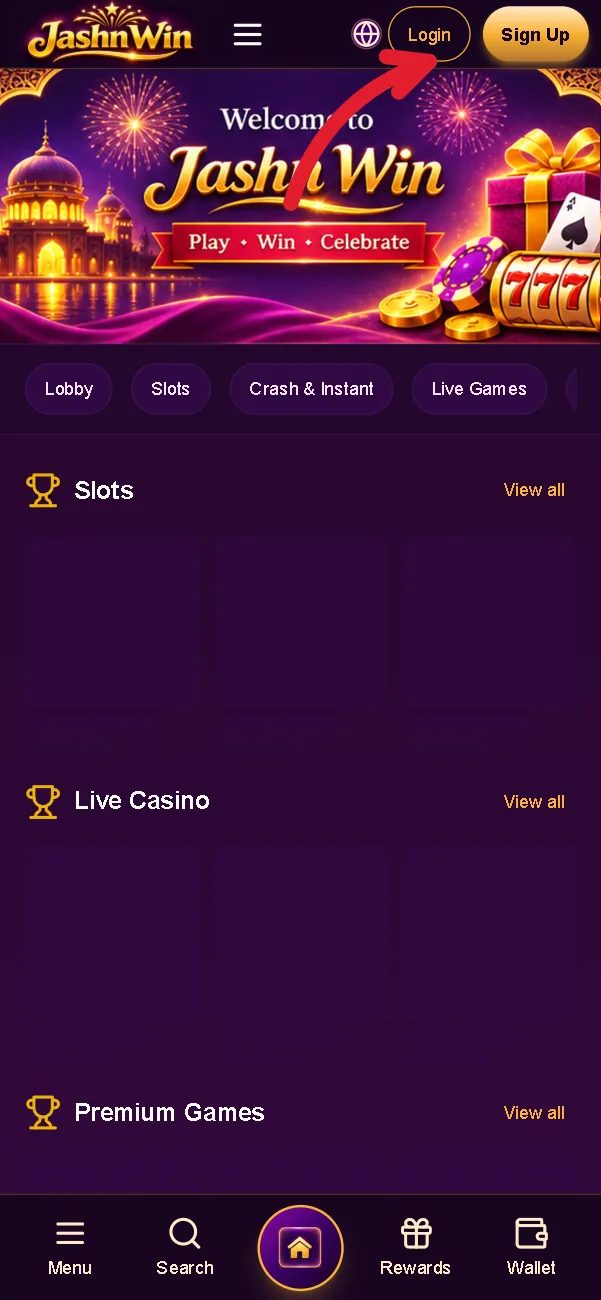
Open the website on your mobile browser.
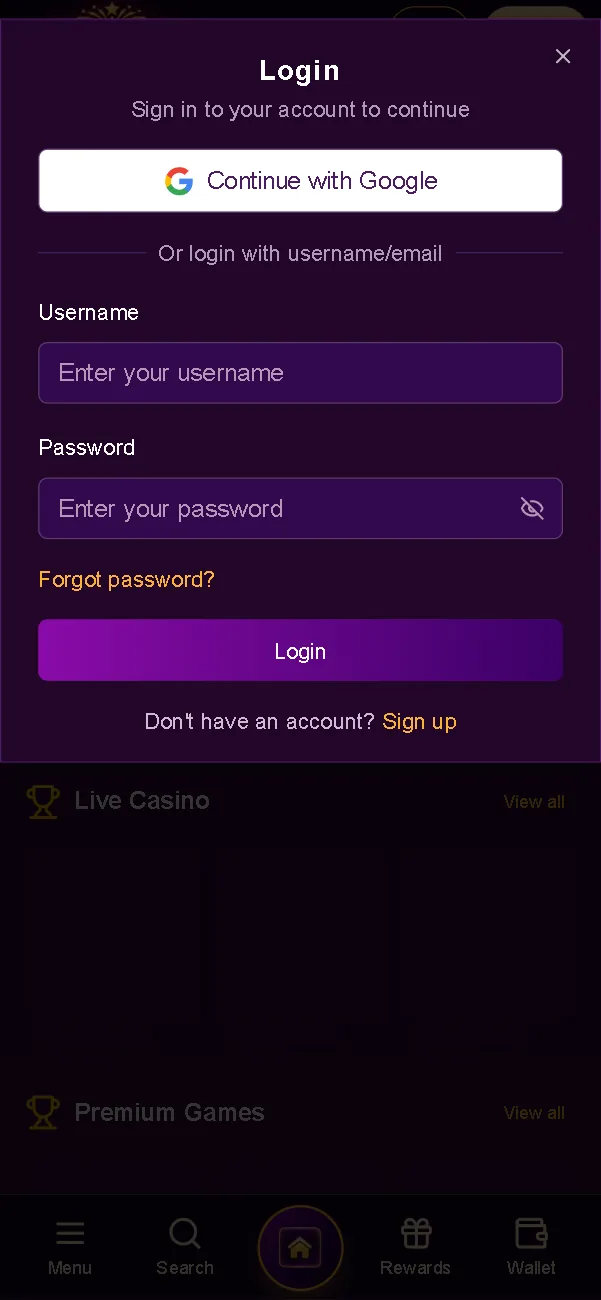
Tap Login at the top right and sign in with your account.
- 2
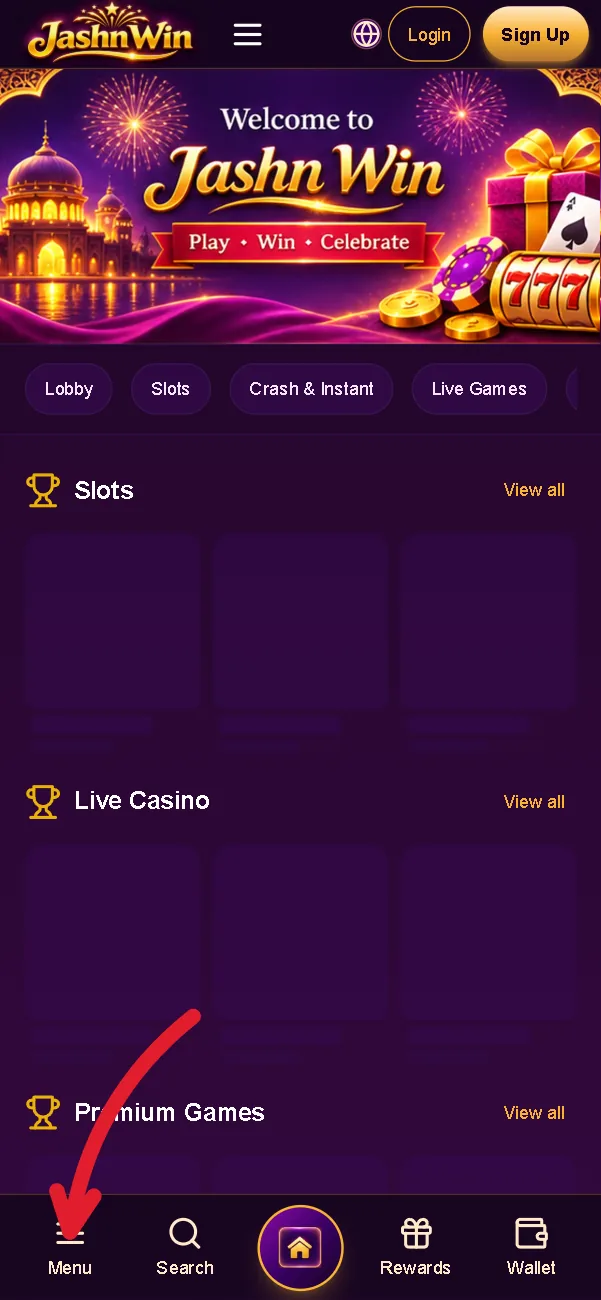
Open the Menu
Once logged in, tap the Menu icon at the bottom left of the screen.
- 3
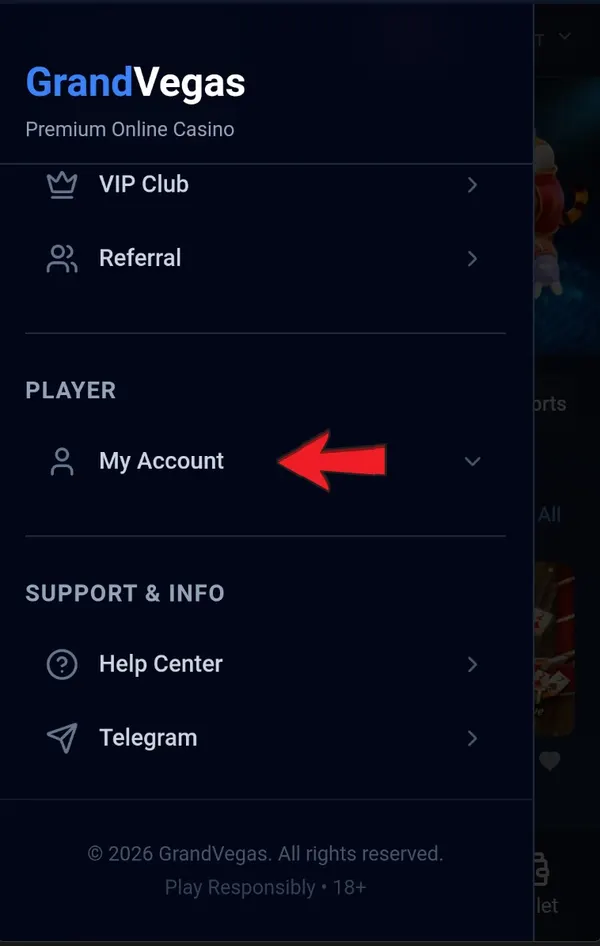
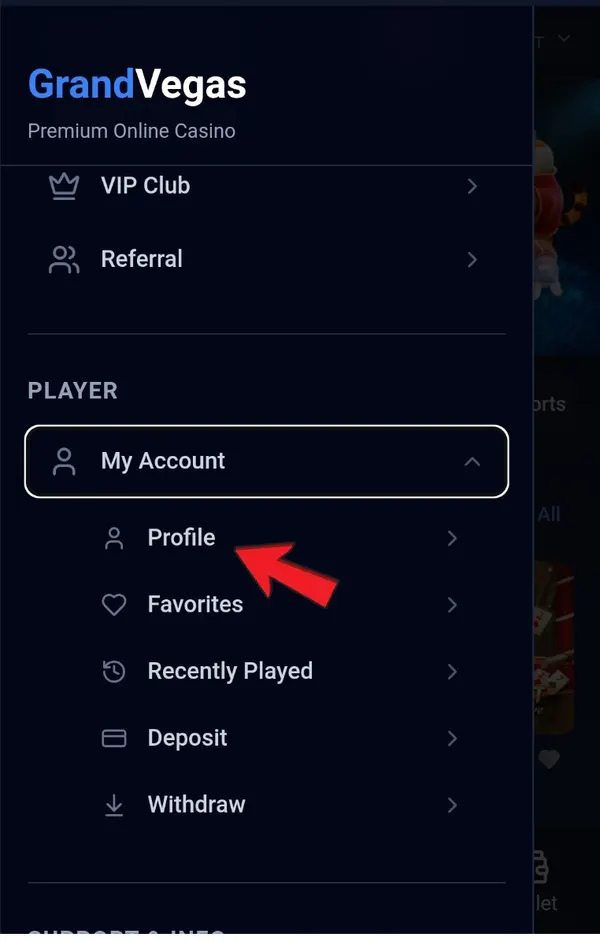
Go to the Player Section
In the menu, tap My Account.
Under My Account, tap Profile.
- 4
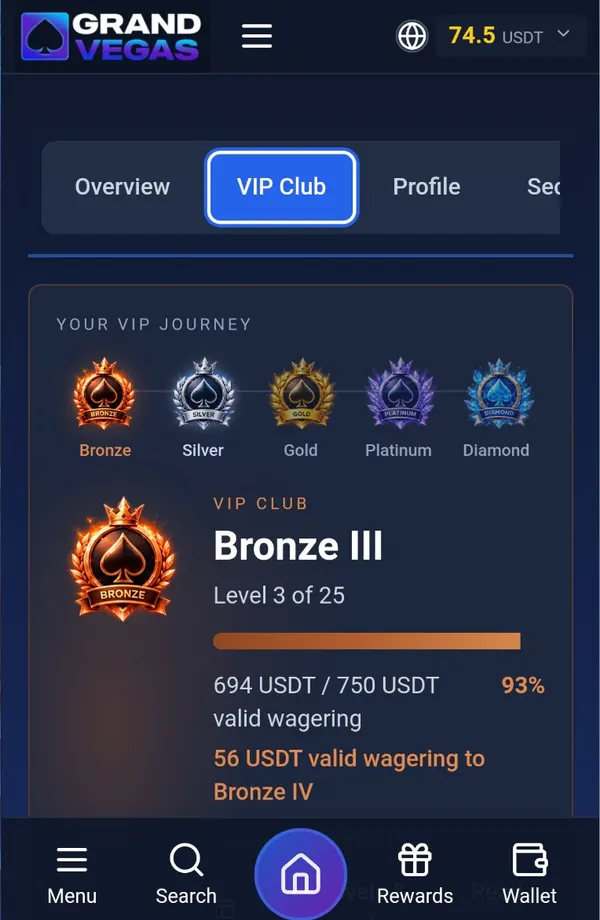
Switch from Overview to VIP Club
By default, you'll land in the Overview section.
Tap VIP Club beside Overview to open your VIP section.
- 5
View your VIP details
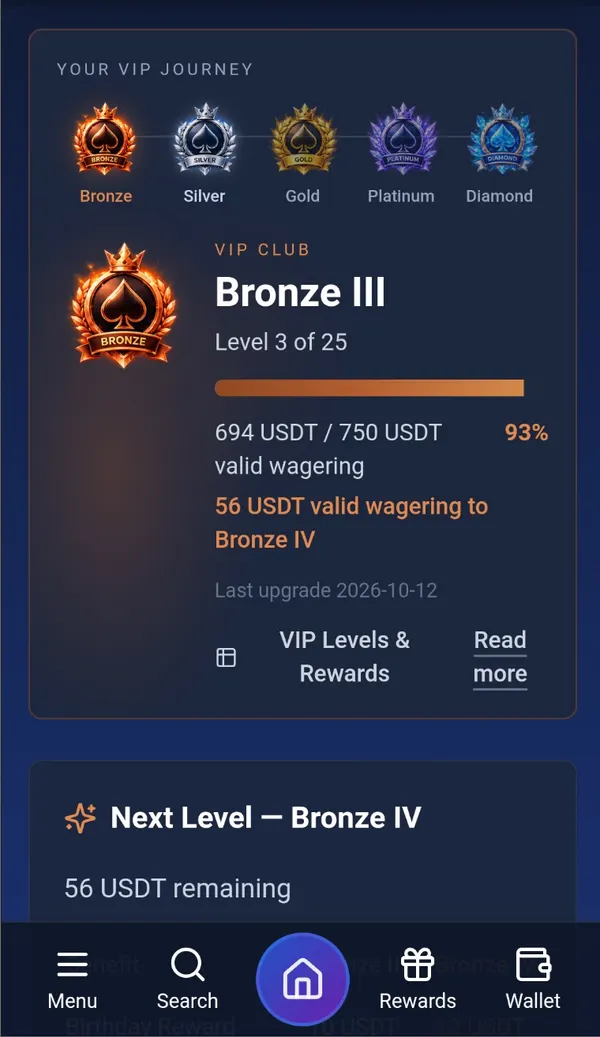
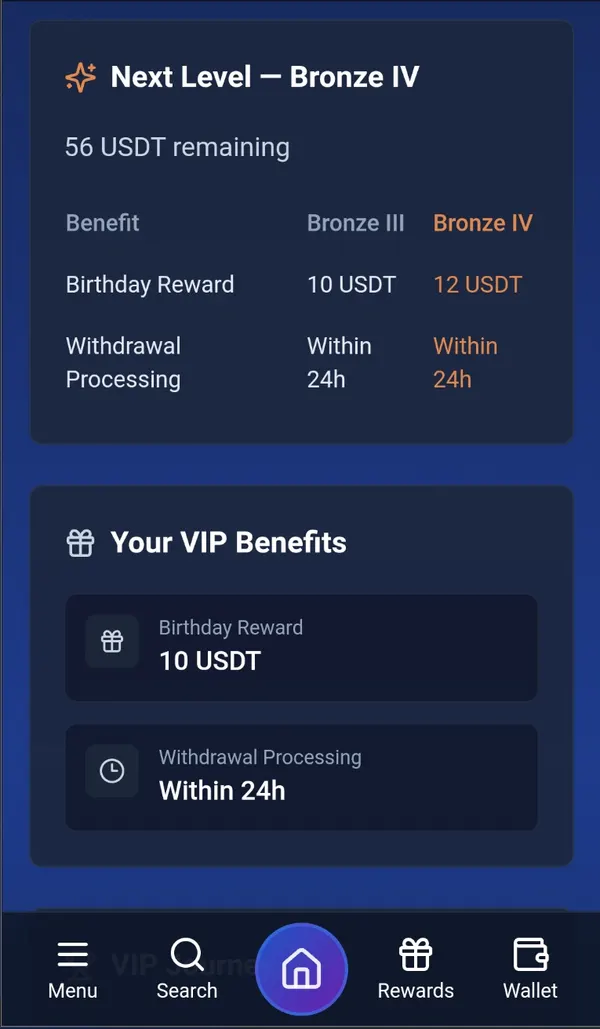
In the VIP Club section, you'll see:
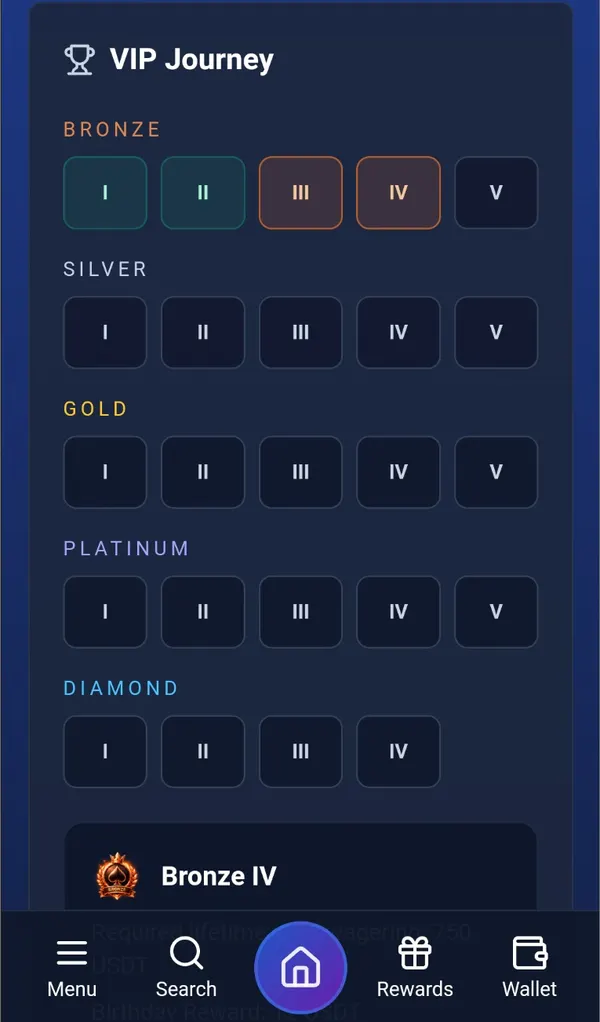
- VIP Journey: shows your progress through the VIP levels.
- VIP Progress: your current standing.
- Current VIP Benefits: rewards you're entitled to right now.
- 6
Explore future benefits & history
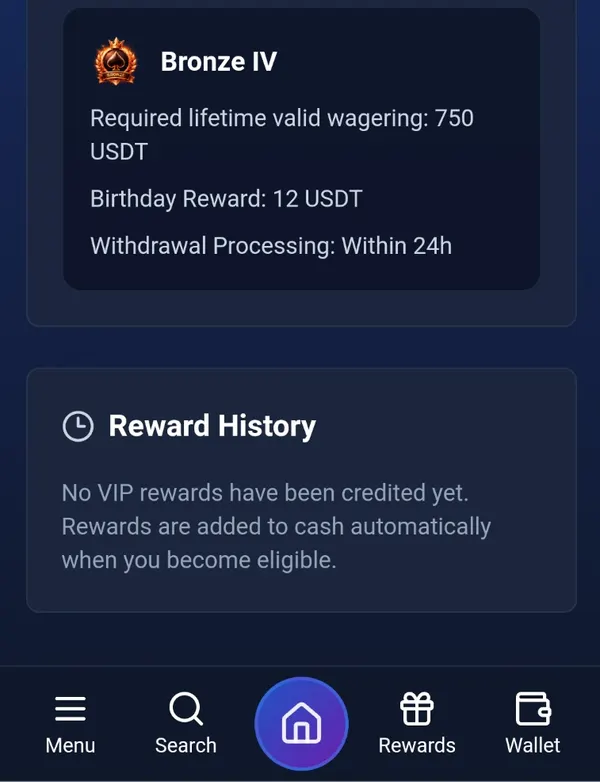
Scroll down further in the VIP Journey section to see what future benefits you'll unlock.
At the bottom, check your VIP Reward History to review past rewards.
Tips
- Keep track of your progress to know what rewards are coming next.
- Benefits update automatically as you move up VIP levels.
Still need help? Visit the Help Center or email [email protected].