
How to Check Your Withdrawal Status
See where your withdrawal is and what each status means.
- 1
Log In
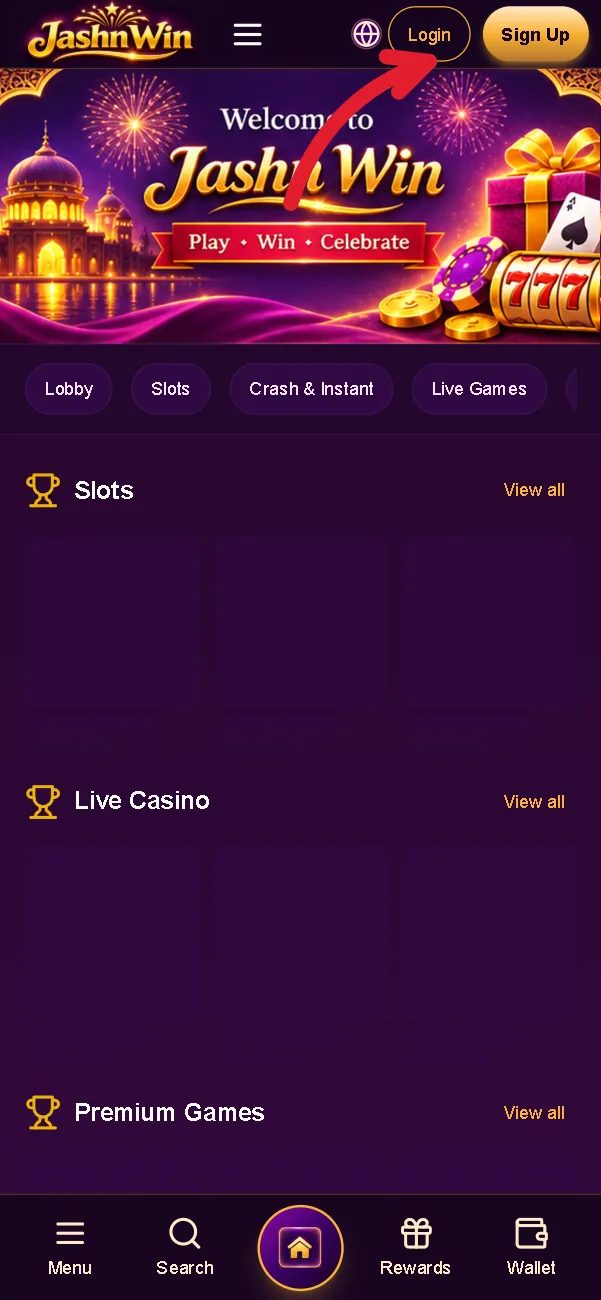
Open the website on your mobile browser.
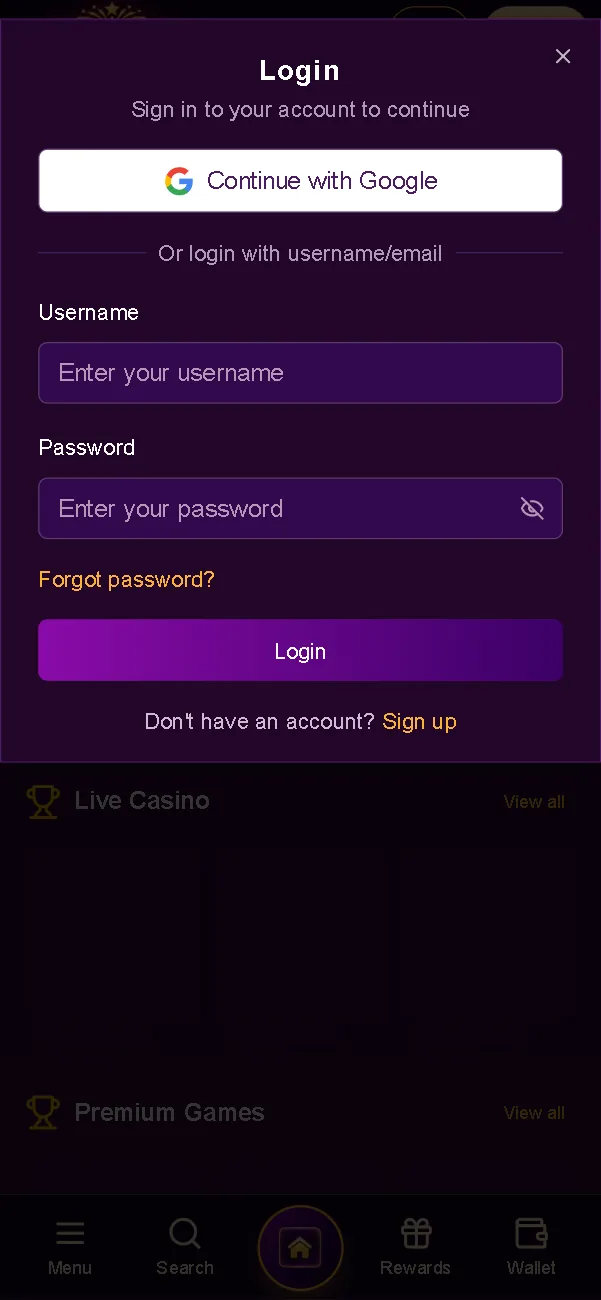
Tap Login at the top right and sign in with your account.
- 2
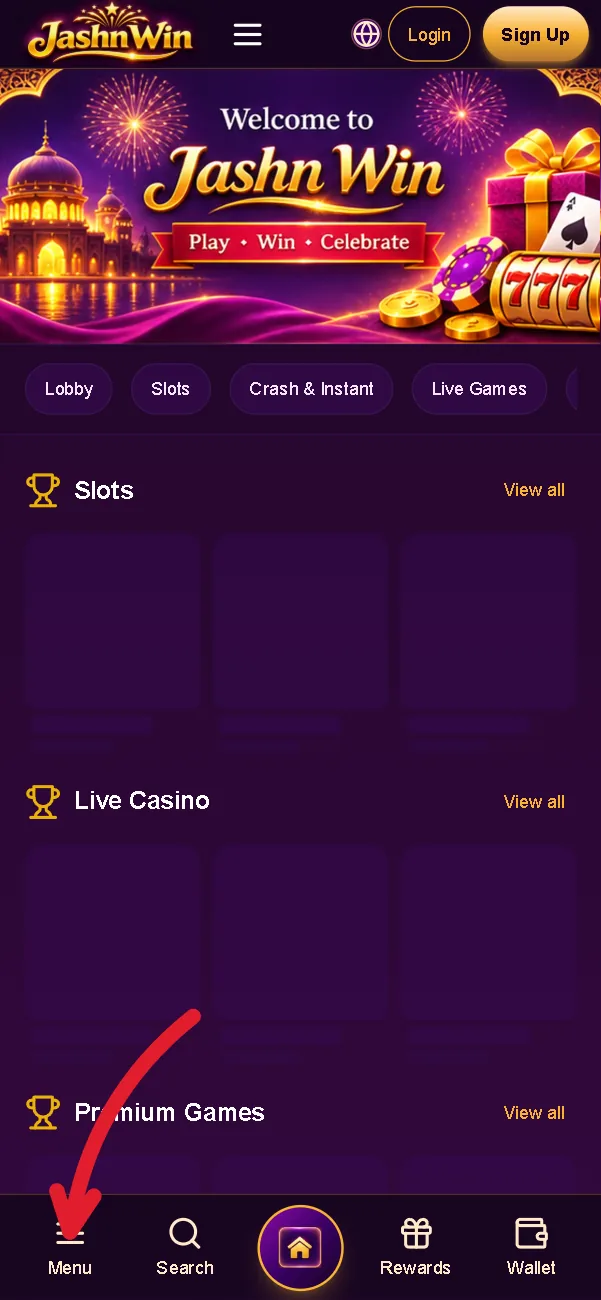
Open the Menu
Once logged in, tap the Menu icon at the bottom left of the screen.
- 3
Go to Profile
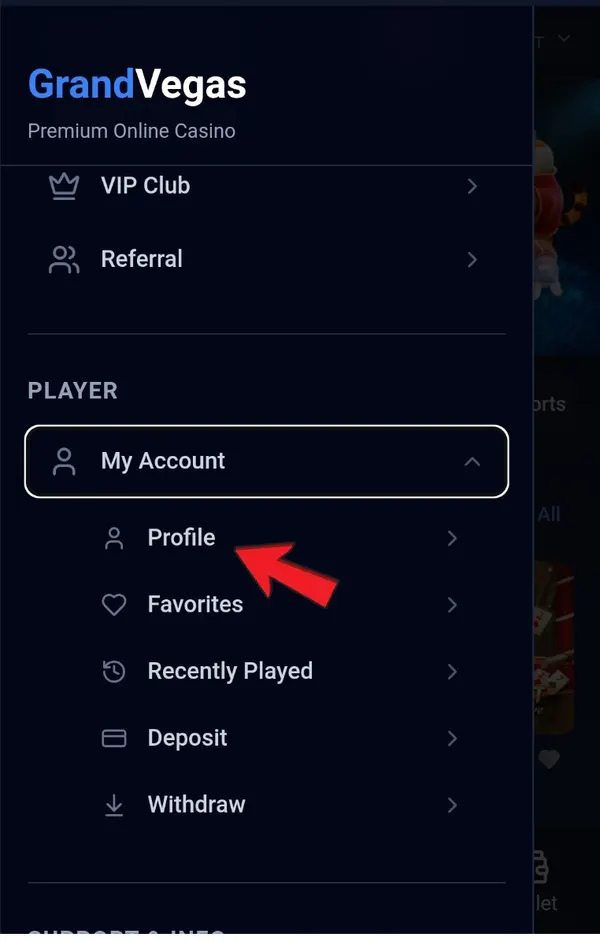
In the Player section, tap My Account.
Under My Account, tap Profile.
By default, you'll land in the Overview section.
- 4
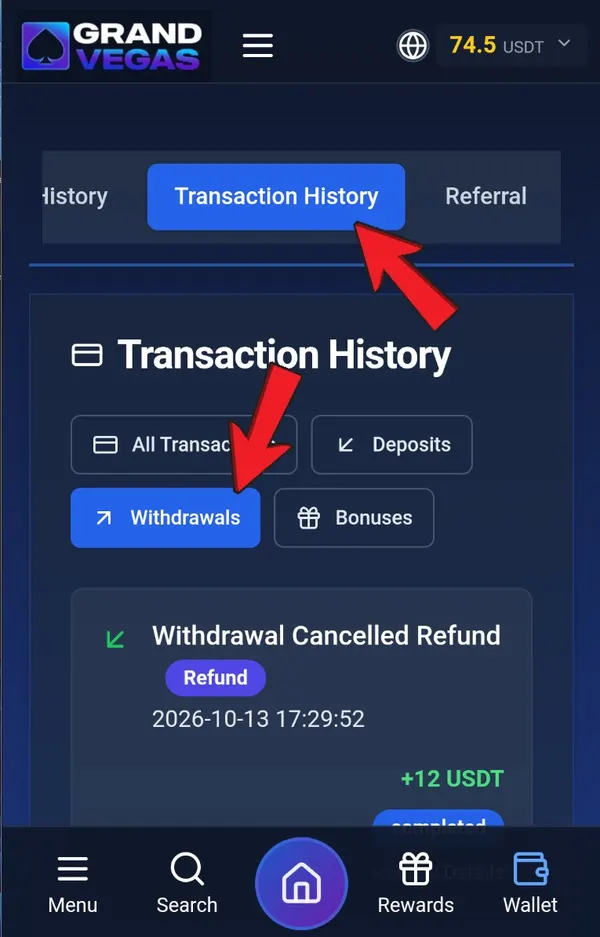
Access Transaction History
Drag the section right to left until you see Transaction History.
Tap Transaction History to open it.
- 5
Check withdrawals
Inside Transaction History, tap Withdrawals.
You'll see a list of all your withdrawal requests along with their status:
- Pending: your request is still being reviewed or processed.
- Completed: your withdrawal has been paid out.
- Cancelled or Failed: the withdrawal was not paid out and the amount is returned to your balance.
- 6
View details
Tap on a specific withdrawal to see more information, including:
- Transaction ID
- Status
- Balance Type
- Notes
- Reference ID
- Transaction Type: Withdrawal
- Created Time
Still need help? Visit the Help Center or email [email protected].