
How to Check Your Betting & Gaming History
See your recently played games and full bet history.
- 1
Log In
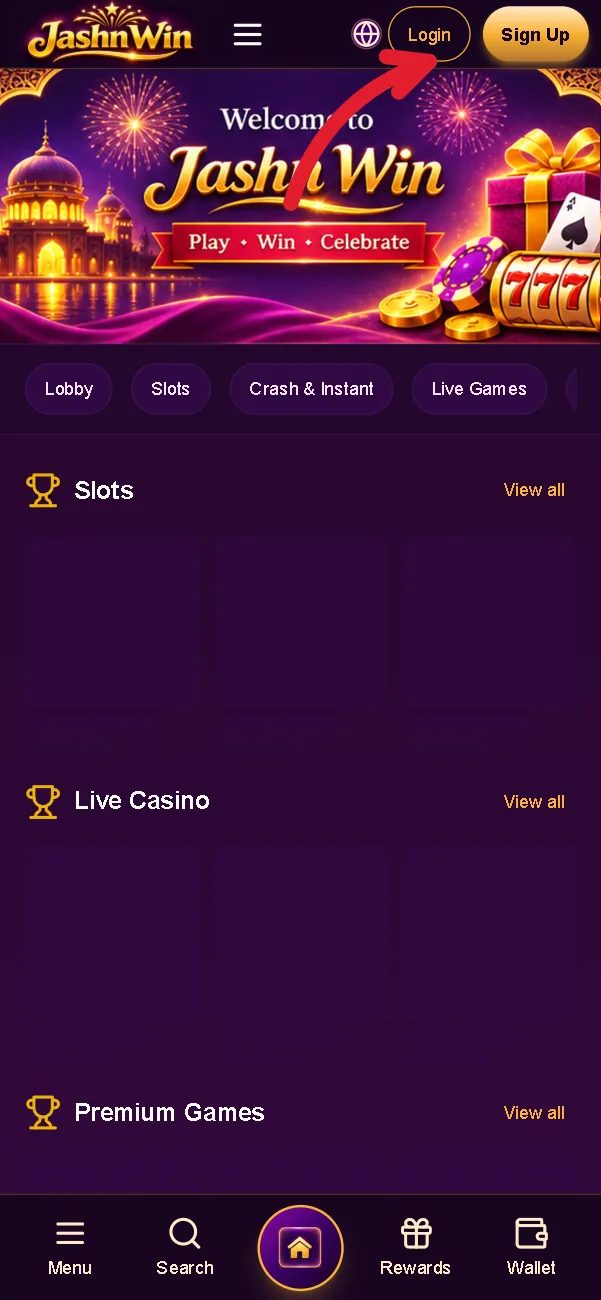
Open the website on your mobile browser.
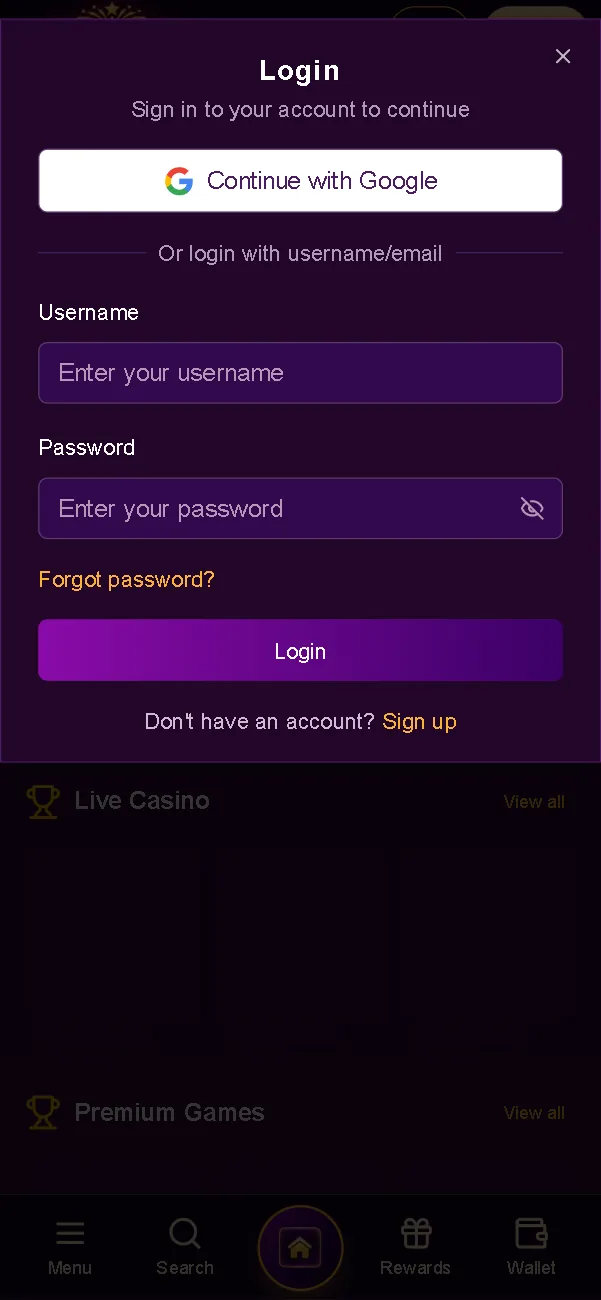
Tap Login at the top right and sign in with your account.
- 2
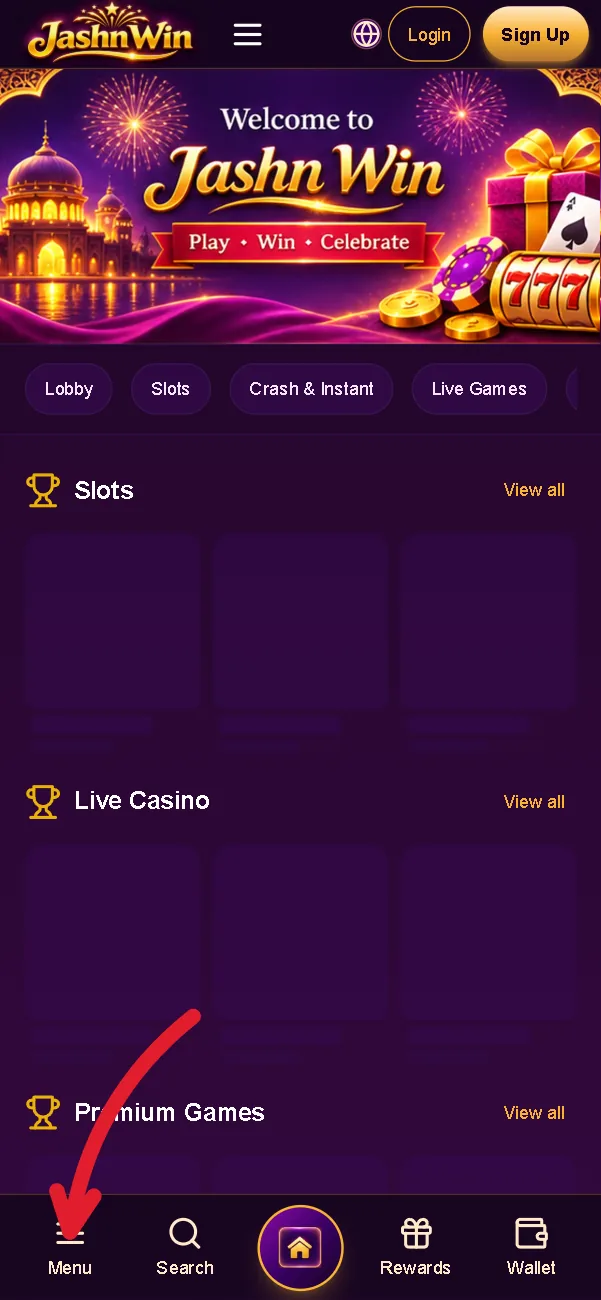
Open the Menu
Once logged in, tap the Menu icon at the bottom left of the screen.
- 3
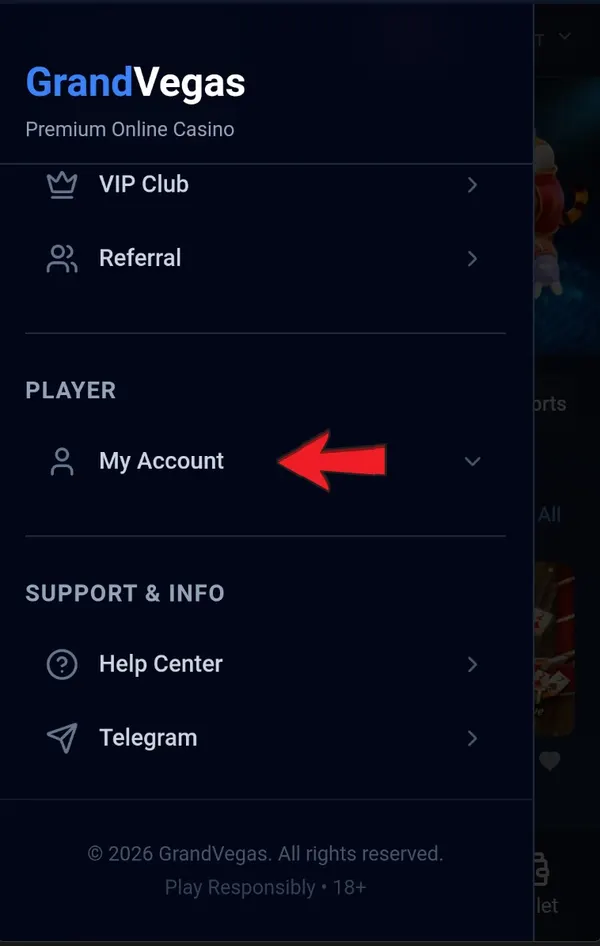
Go to the Player Section
In the menu, tap My Account.
- 4
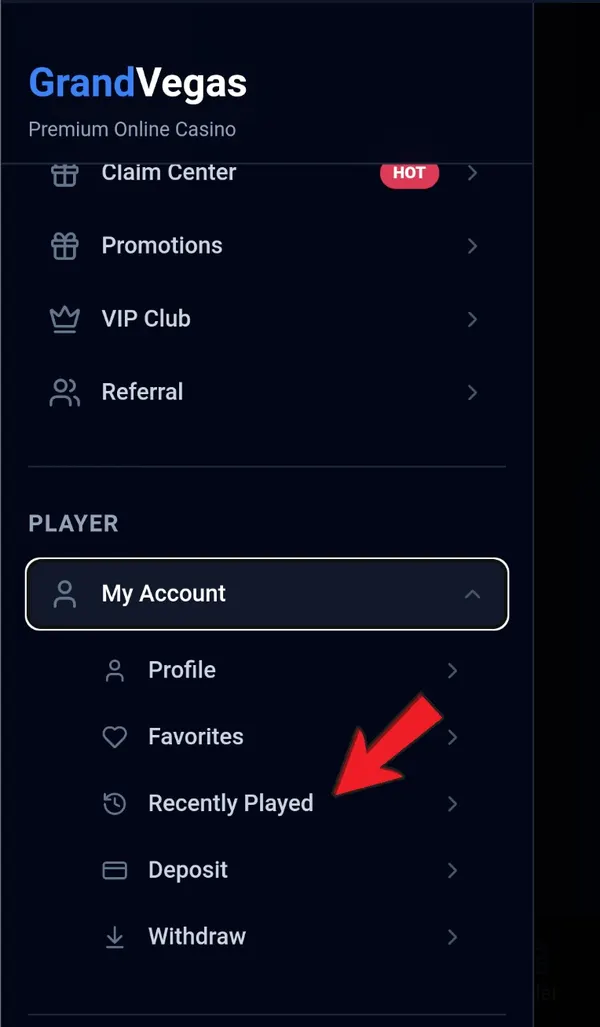
View recently played games
Under My Account, you'll see Recently Played.
Here you can quickly check what games you've played.

- 5
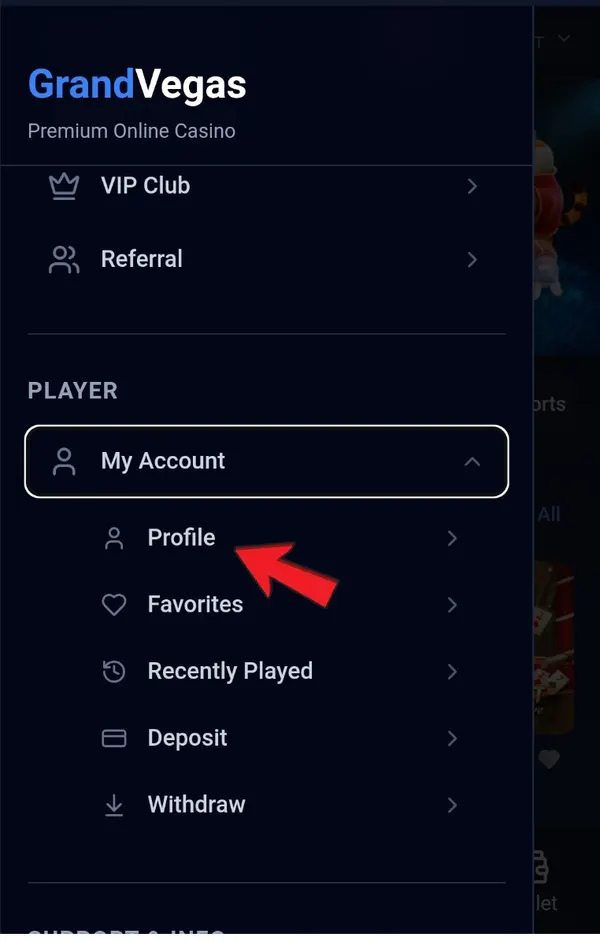
Access detailed gaming & bet history
Still under My Account, tap Profile.
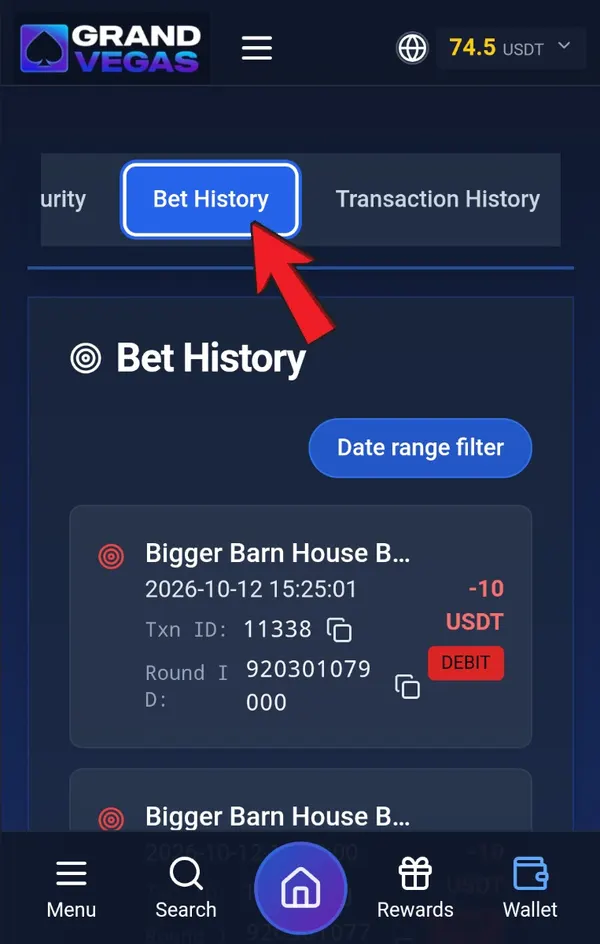
By default, you'll land in the Overview section.
Drag the section right to left until you see Bet History.
Tap Bet History to open your full betting records.
- 6
Review your bet history
In Bet History, you'll see details such as:
- Game played
- Date and time
- Transaction ID (Txn: ID)
- Round ID
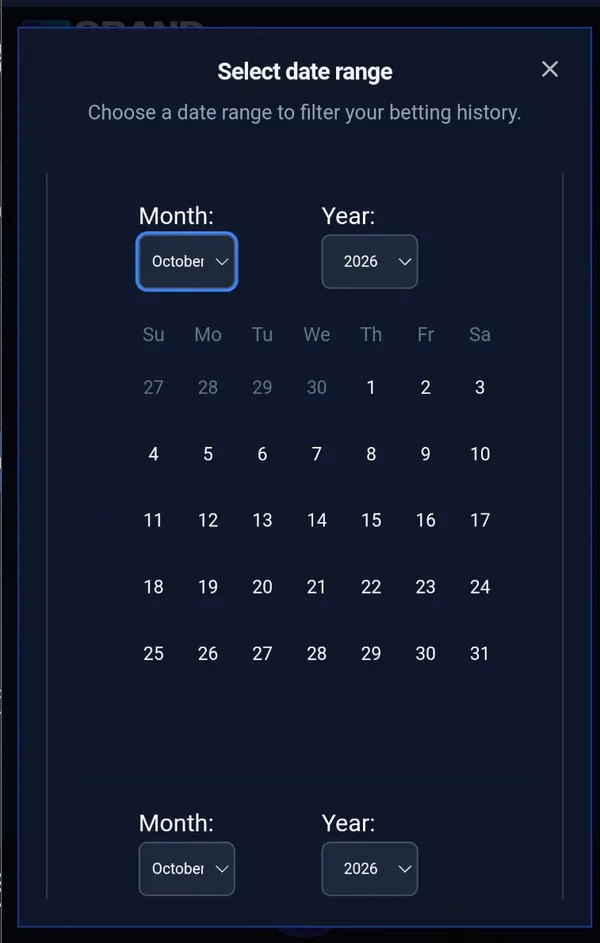
You can also filter your history by date range to narrow down results.
Tips
- Use the date filter to quickly find specific bets.
- Check both Txn ID and Round ID if you need to report or verify a game outcome.
- Recently Played is good for quick checks, while Bet History gives full details.
Still need help? Visit the Help Center or email [email protected].