
How to Make a Deposit
Deposit USDT on TRON, Ethereum or BSC.
- 1
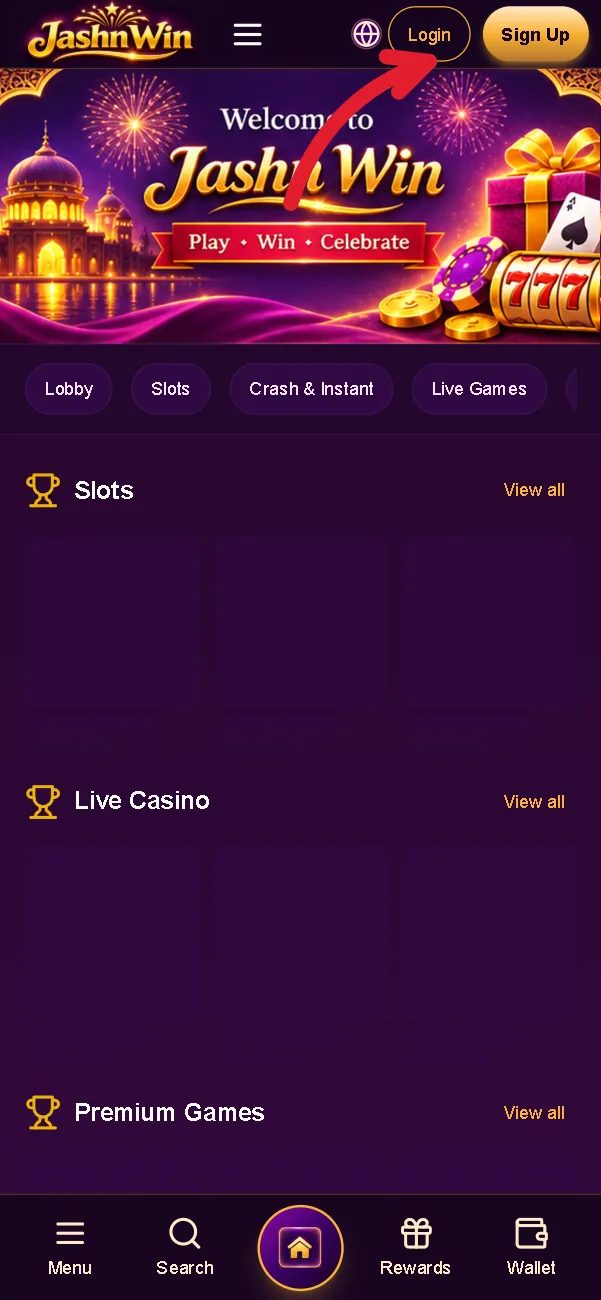
Log In
Open the website on your mobile browser.
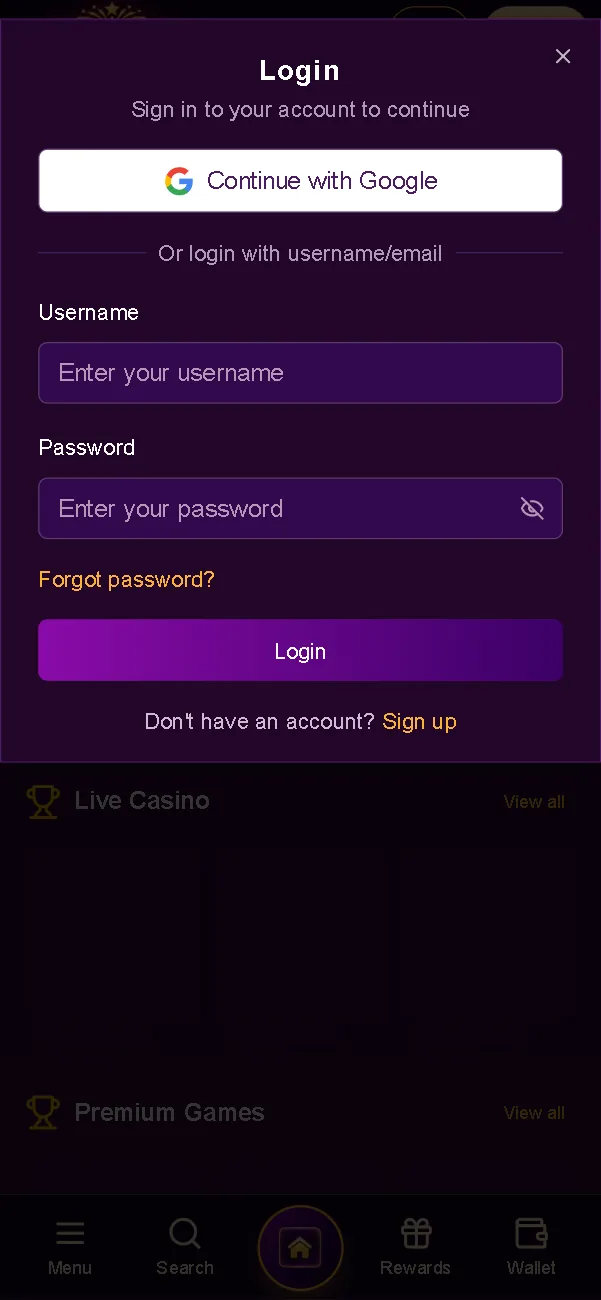
Tap Login at the top right and sign in with your account.
- 2
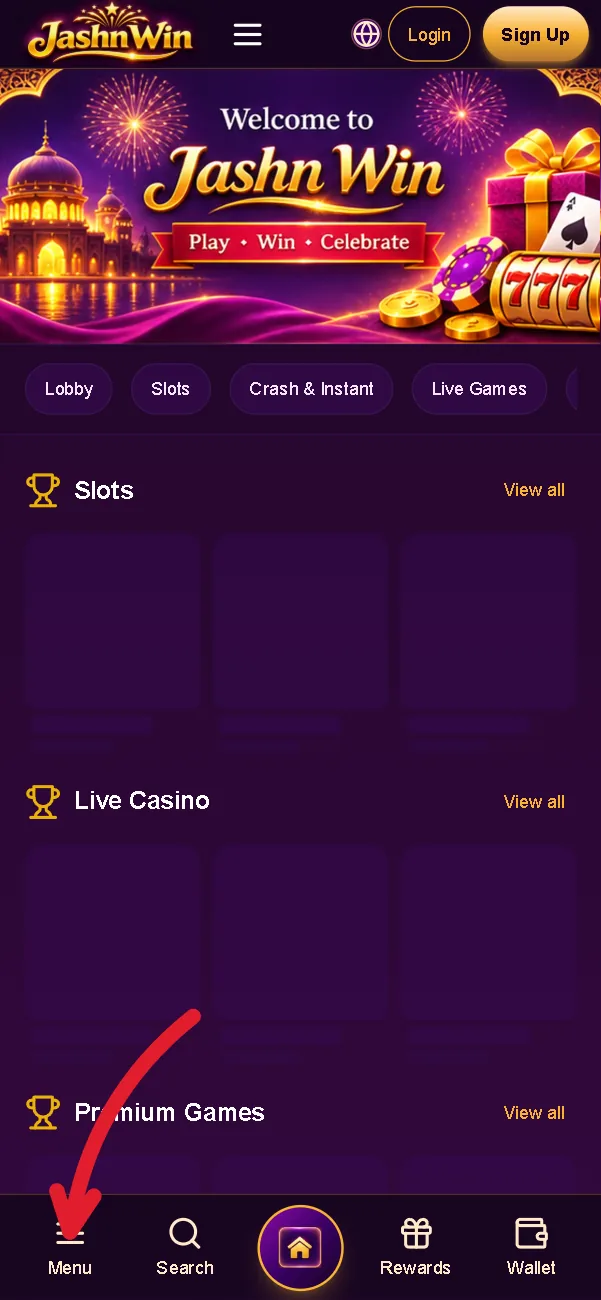
Open the Menu
Once logged in, tap the Menu icon at the bottom left of the screen.
- 3
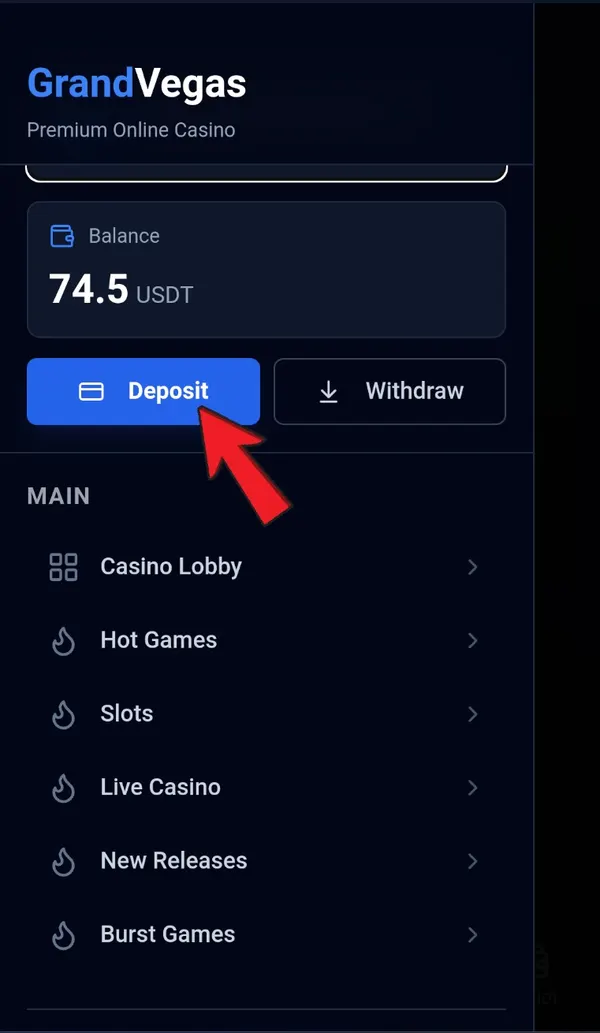
Go to Deposit
In the Player section, you'll see Deposit as the default setting.
Tap Deposit to continue.
- 4
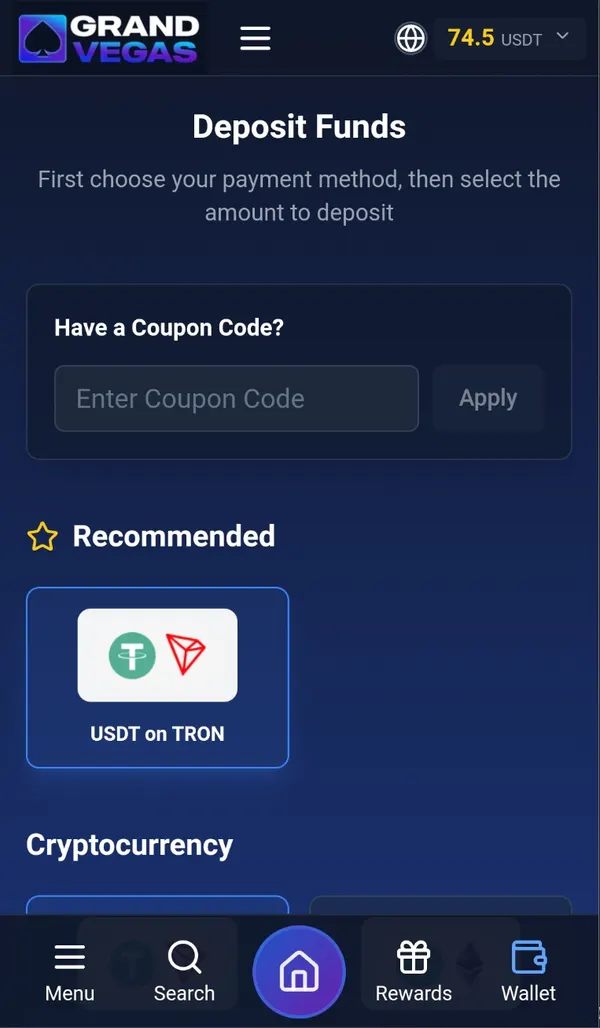
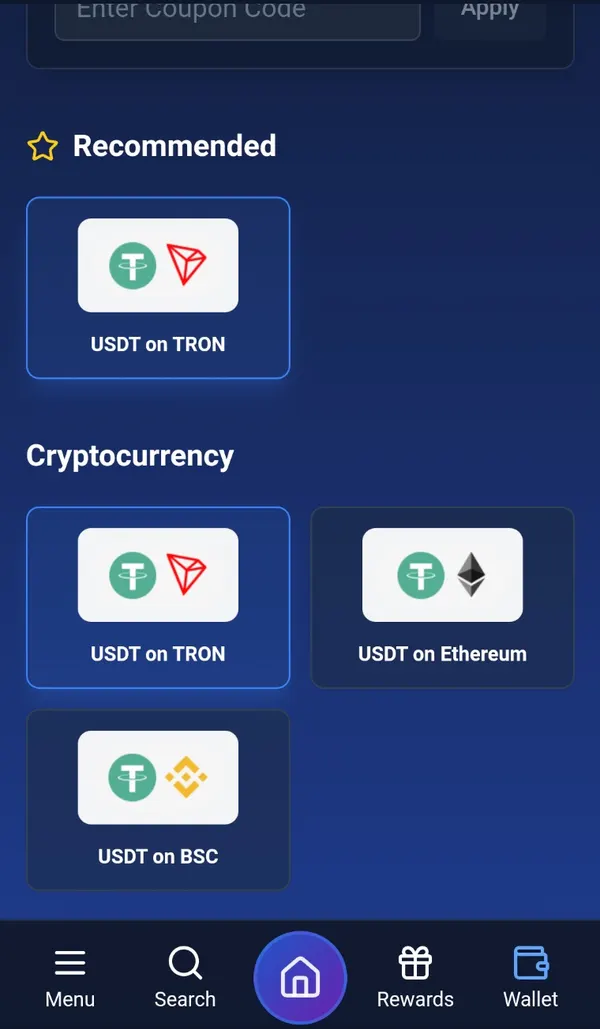
Choose your cryptocurrency
You'll see recommended and other crypto options:
- USDT on TRON
- USDT on Ethereum
- USDT on BSC
- 5
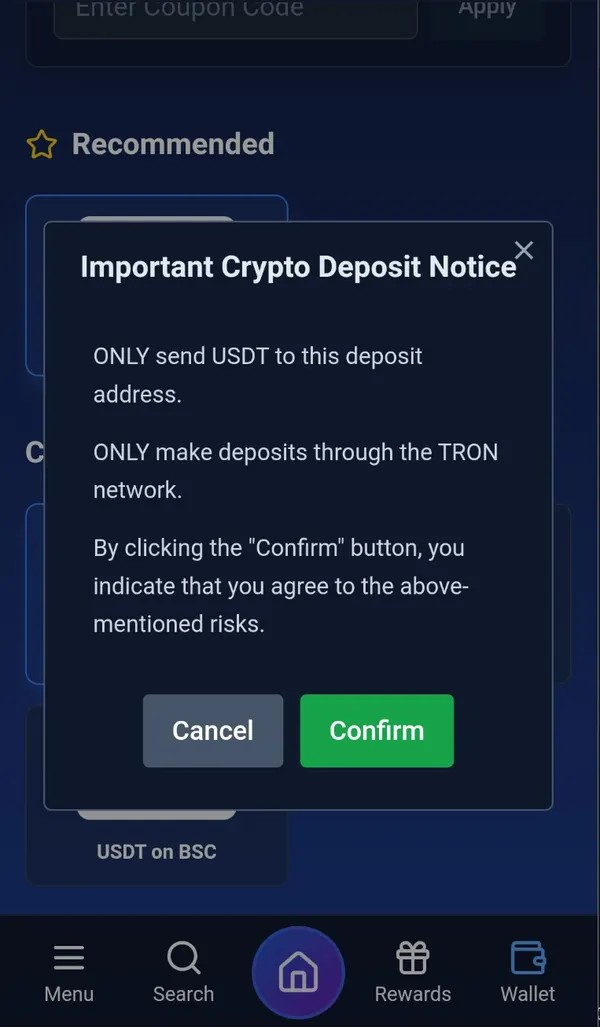
Confirm the deposit notice
An Important Crypto Deposit Notice will appear. Read it carefully, then tap Confirm.
- 6
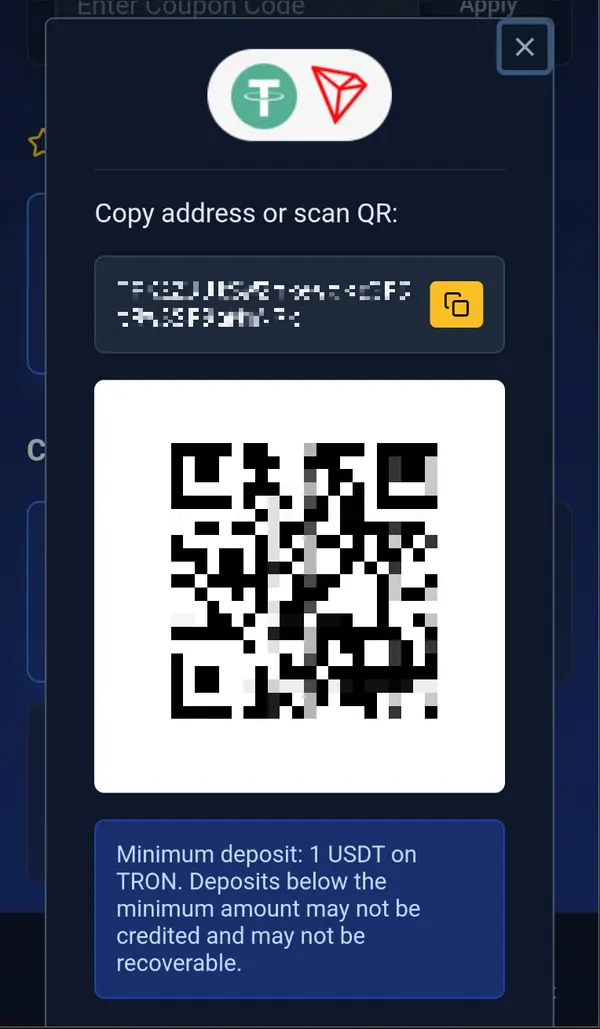
Copy the address or scan the QR
- Copy the deposit address, or
- Scan the QR code provided.
- Minimum deposit is 1 USDT.
- 7
Wait for confirmation
After sending your deposit, wait a short while. Your funds will appear in your account once the transaction is confirmed.
Tips
- Always double check the deposit address before sending.
- Make sure you're using the correct blockchain (TRON, Ethereum, or BSC).
- Keep in mind that crypto deposits are irreversible once sent.
Still need help? Visit the Help Center or email [email protected].