
How to Update Your Account Info
Where to find and edit your profile details.
- 1
Log In
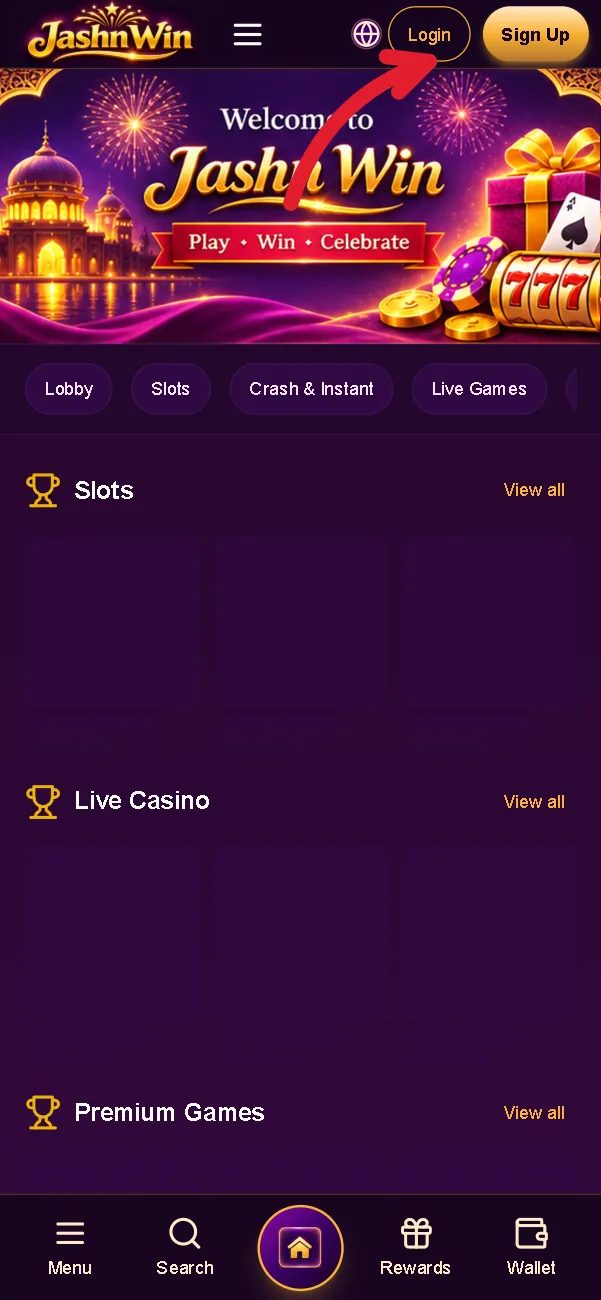
Open the website on your mobile browser.
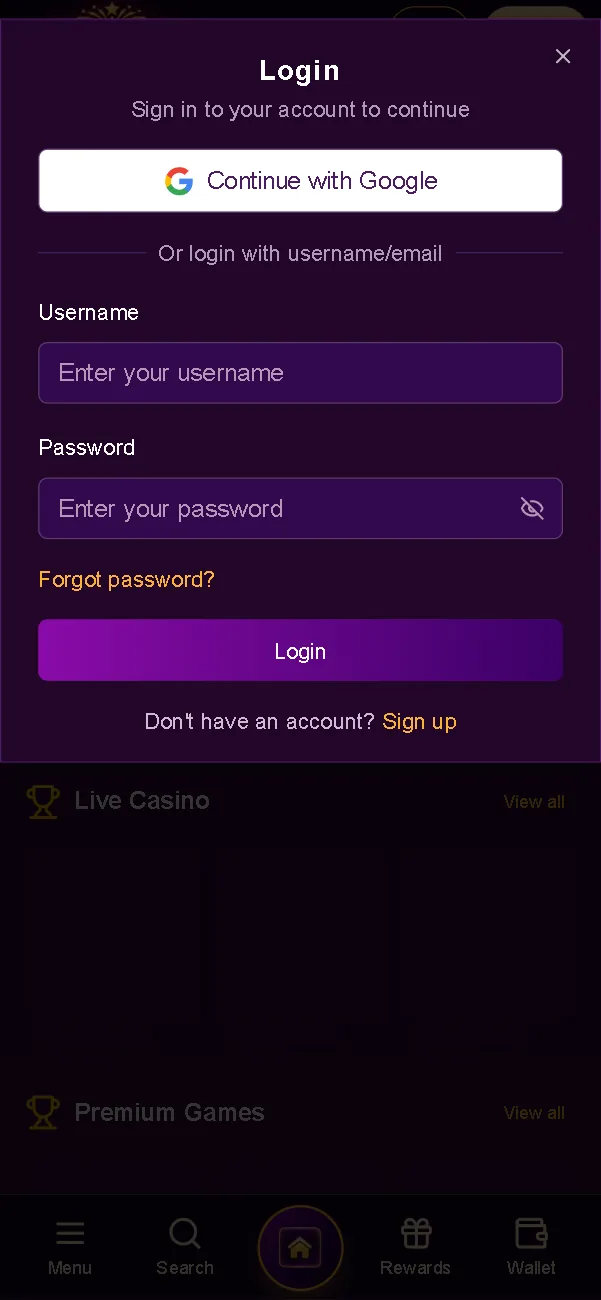
Tap Login at the top right and sign in with your account.
- 2
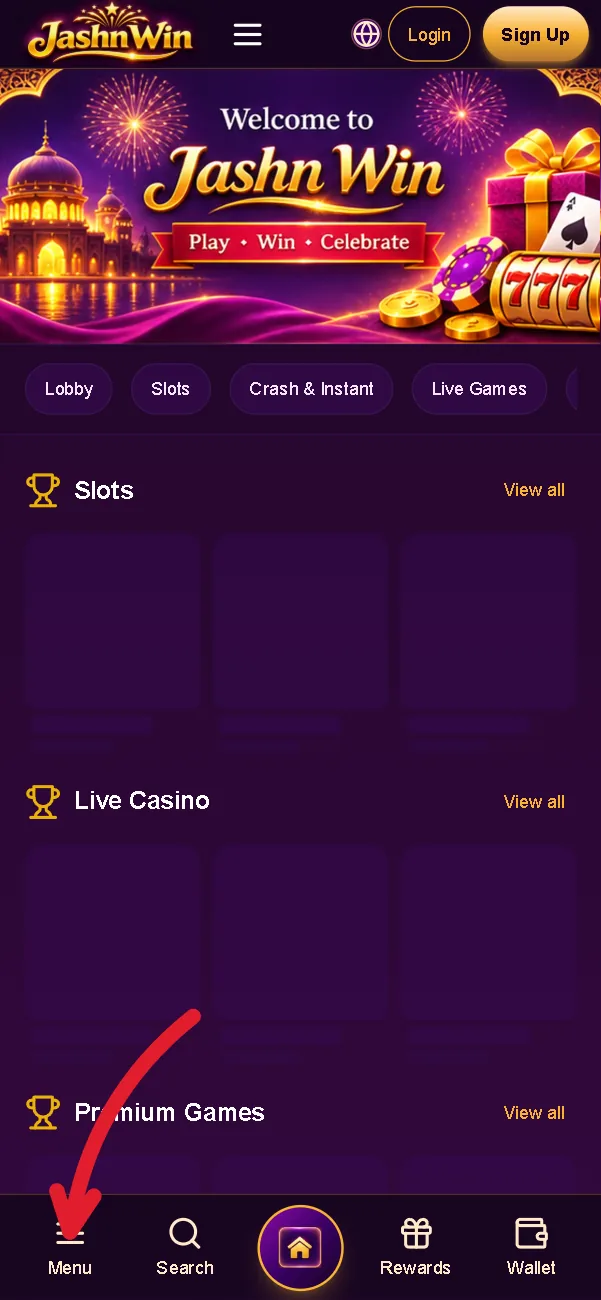
Open the Menu
Once logged in, tap the Menu icon at the bottom left of the screen.
- 3
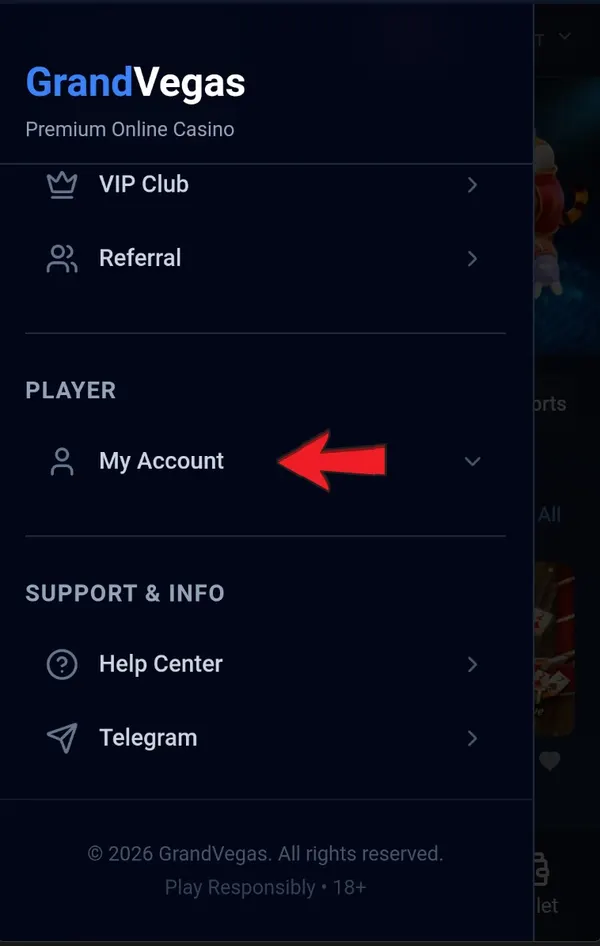
Go to the Player Section
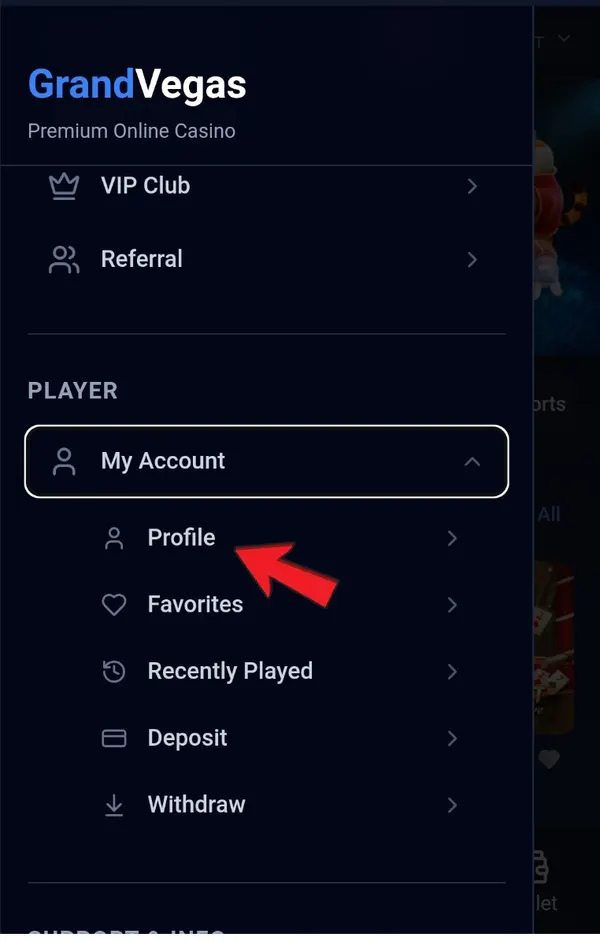
In the menu, tap My Account.
Under My Account, tap Profile.
- 4
Open the Profile Overview
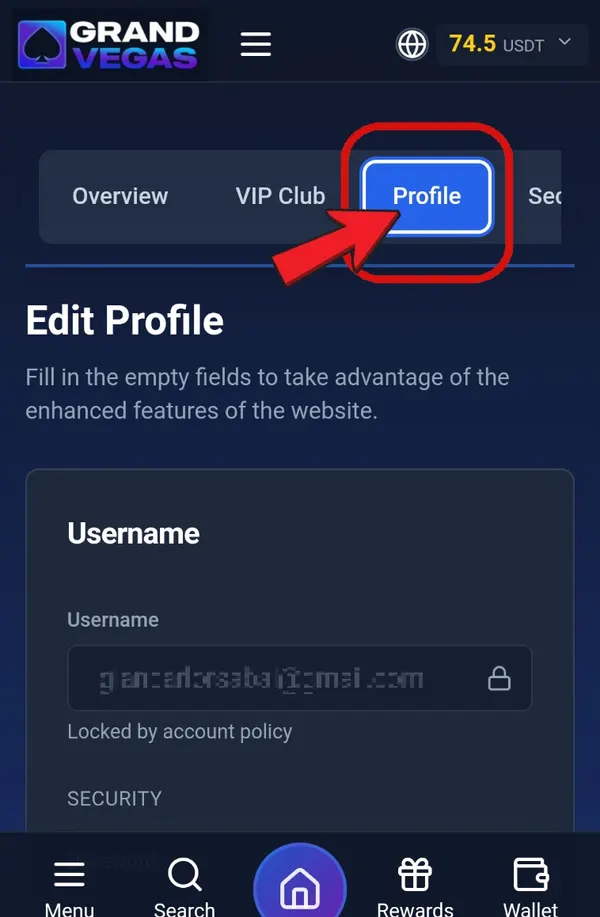
On the Profile page, you'll see the Overview tab beside VIP Club.
Tap the Profile section.
- 5
Edit your profile
Inside the Profile area, go to the Edit Profile section. Here you can update your:
- Contact details
- Personal information
- 6
Save
After making changes, tap Save. Once saved, your profile information is updated immediately.
Locked fields
Some fields, such as your username and registered email, are locked by account policy. If one of these needs to change, please contact support and we'll help.
Still need help? Visit the Help Center or email [email protected].