
How to Withdraw Funds
Withdraw USDT to your wallet on TRON, Ethereum or BSC.
- 1
Log In
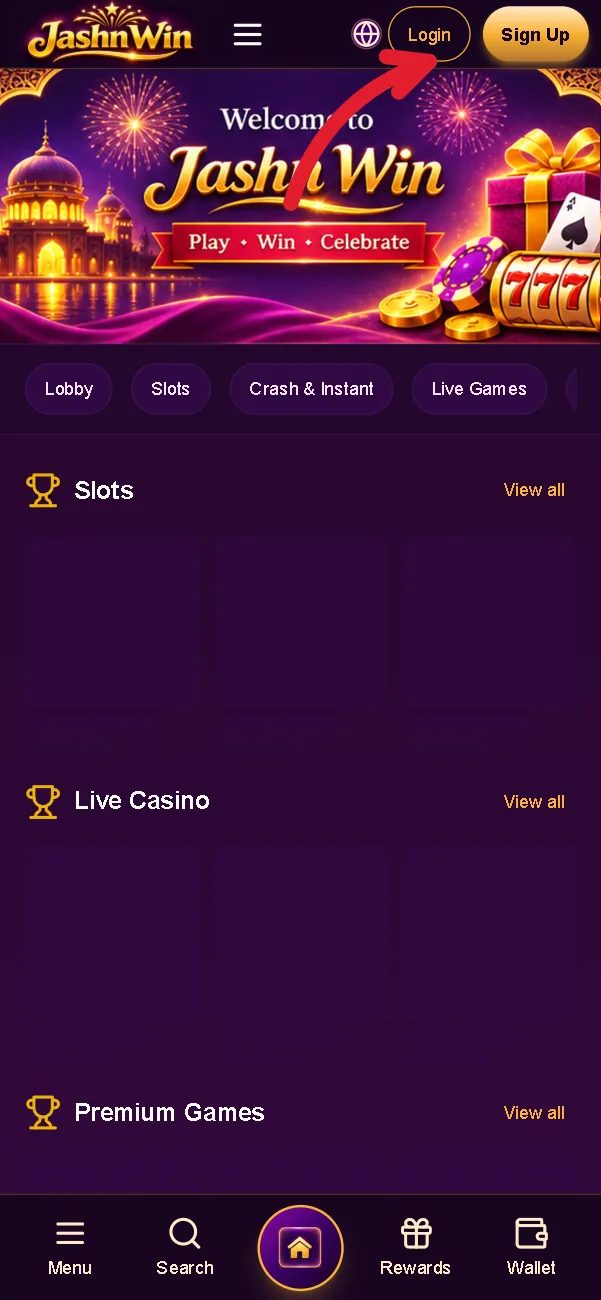
Open the website on your mobile browser.
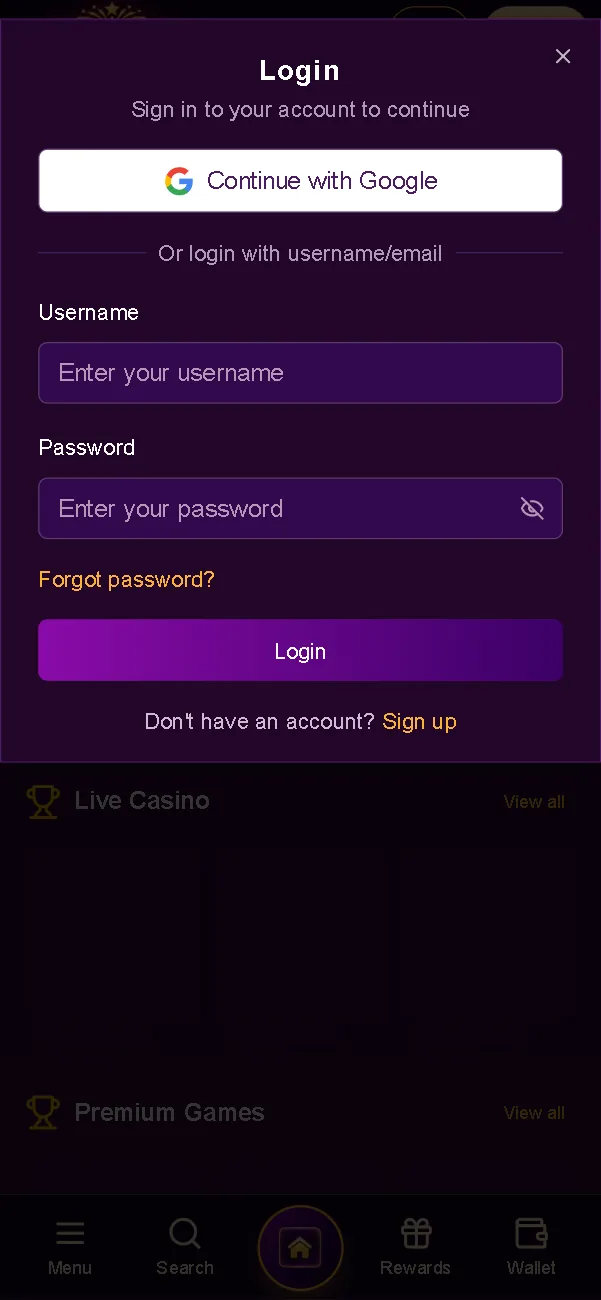
Tap Login at the top right and sign in with your account.
- 2
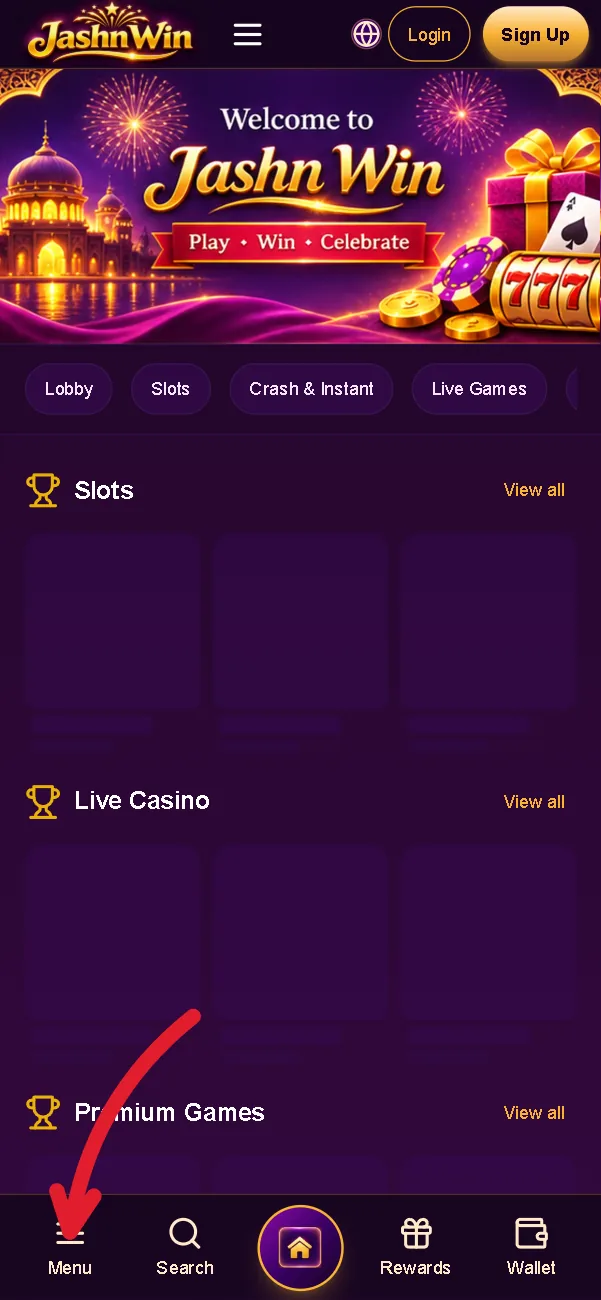
Open the Menu
Once logged in, tap the Menu icon at the bottom left of the screen.
- 3
Go to Withdraw
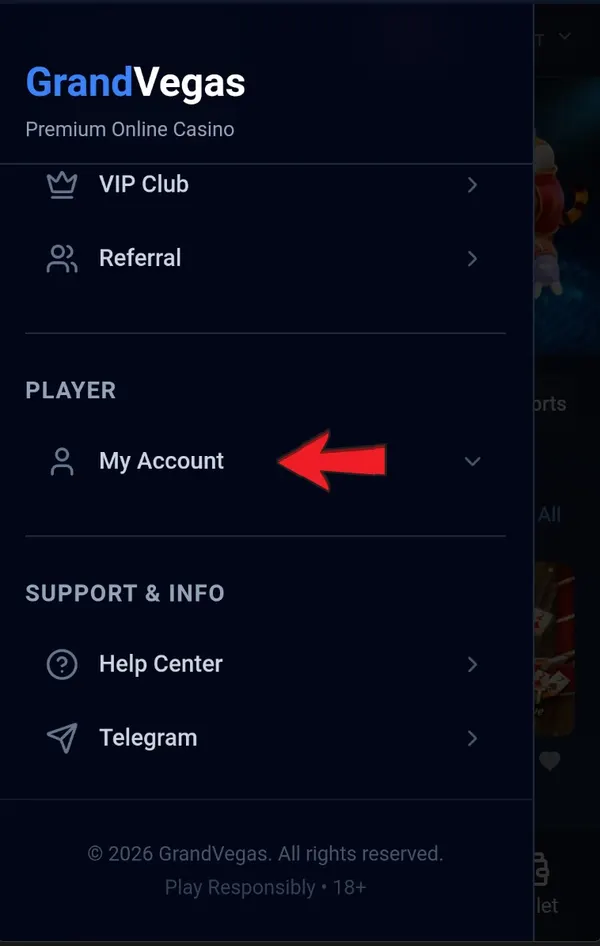
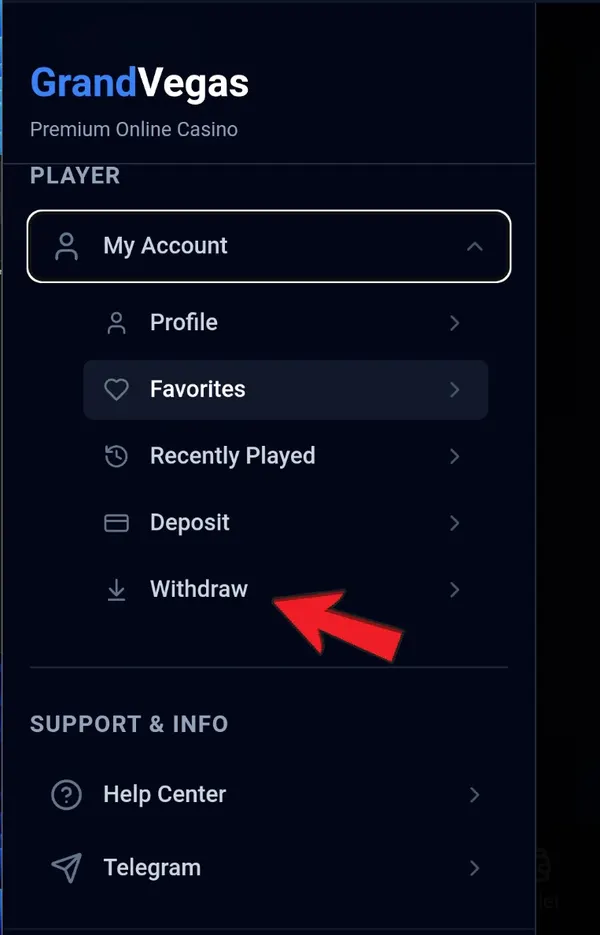
In the Player section, tap My Account.
Under My Account, select Withdraw.
- 4
Choose your cryptocurrency
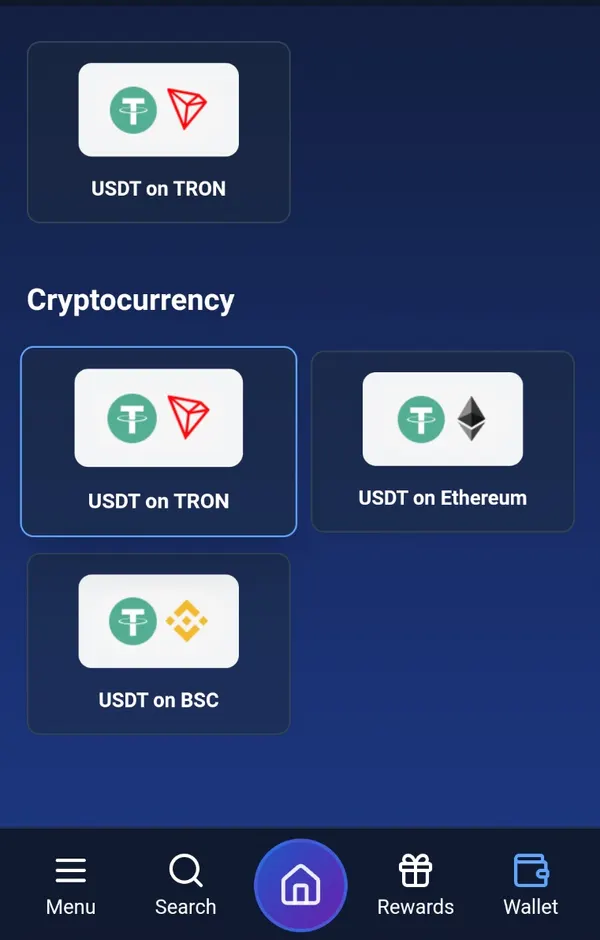
You can withdraw using:
- USDT on TRON
- USDT on Ethereum
- USDT on BSC
- 5
Confirm and enter withdrawal details
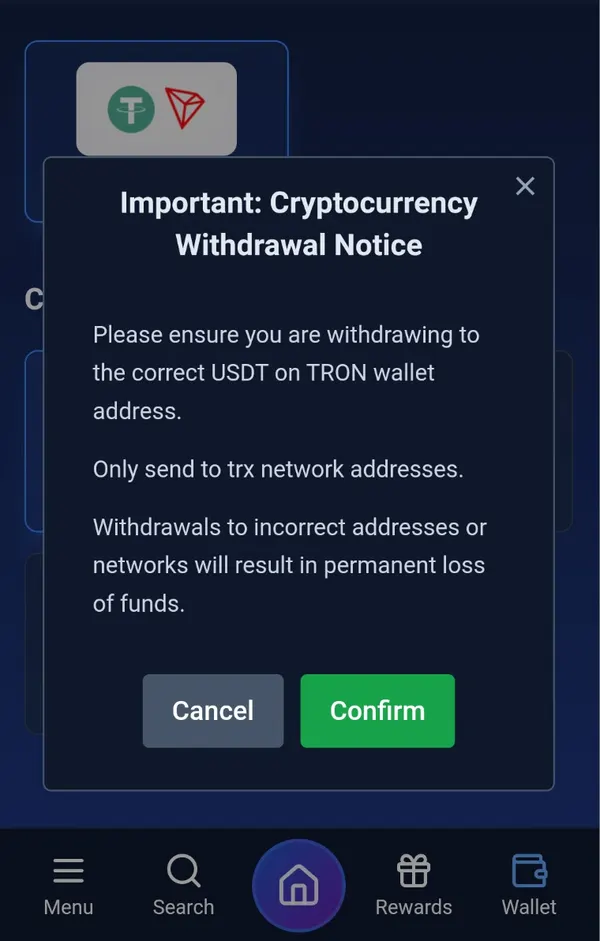
- An Important Cryptocurrency Withdrawal Notice will appear. Read it carefully, then tap Confirm.
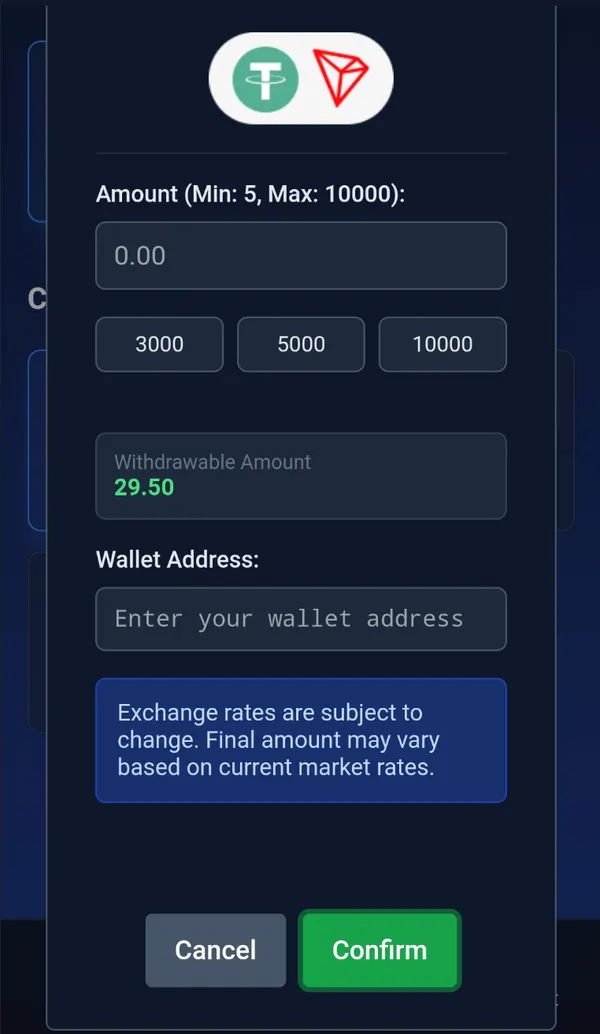
- Enter the amount you want to withdraw (check the minimum and maximum limits shown).
- Enter your wallet address where the funds will be sent.
- Double check all details to make sure they're correct.
- Tap Confirm to finalize your request.
- Wait for processing. Your withdrawal will be sent to your wallet once approved and confirmed on the blockchain.
Having trouble? See Why Was My Withdrawal Rejected or Delayed?
Still need help? Visit the Help Center or email [email protected].