
Why Haven't I Received My Deposit?
Common reasons a deposit is delayed, and how to check and get help.
Possible Reasons
- Pending Confirmation: The deposit is still being processed on the blockchain.
- Cancelled Transaction: The deposit was cancelled or failed.
- Incorrect Network: Funds were sent using the wrong blockchain (TRON, Ethereum, or BSC).
- Minimum Deposit Not Met: The deposit amount was below the required minimum (e.g., 1 USDT).
- Wallet/Address Error: The deposit was sent to the wrong or invalid wallet address.
- System Delay: Occasionally, deposits may take longer due to network congestion or system checks.
- 1
Log In
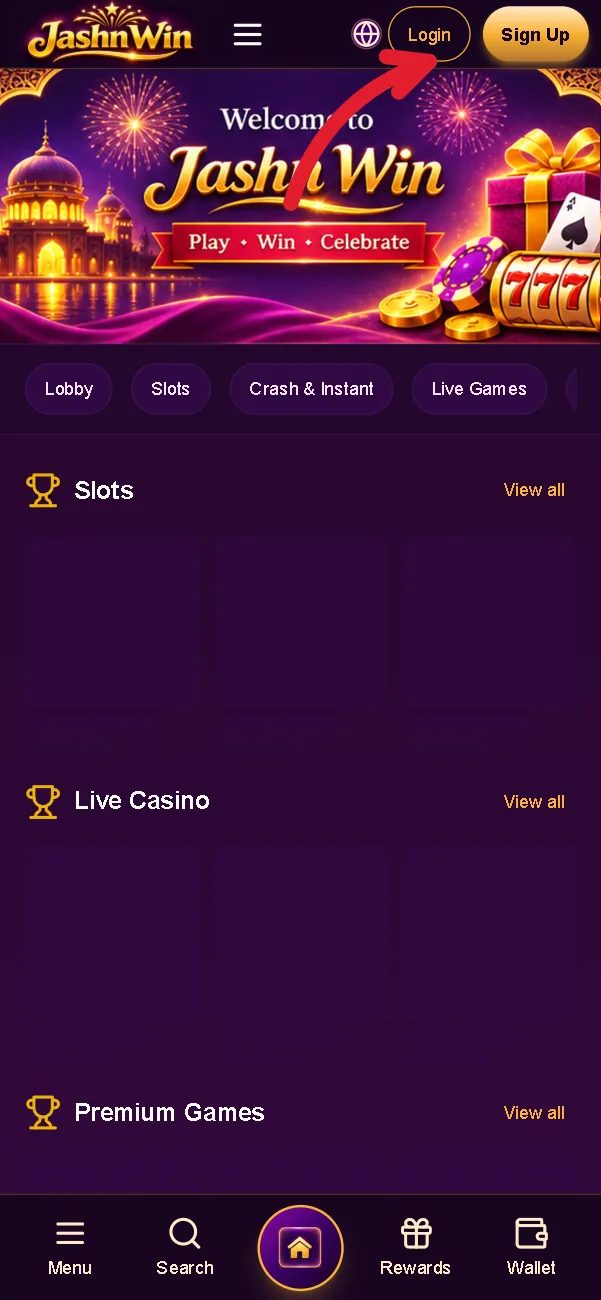
Open the website on your mobile browser.
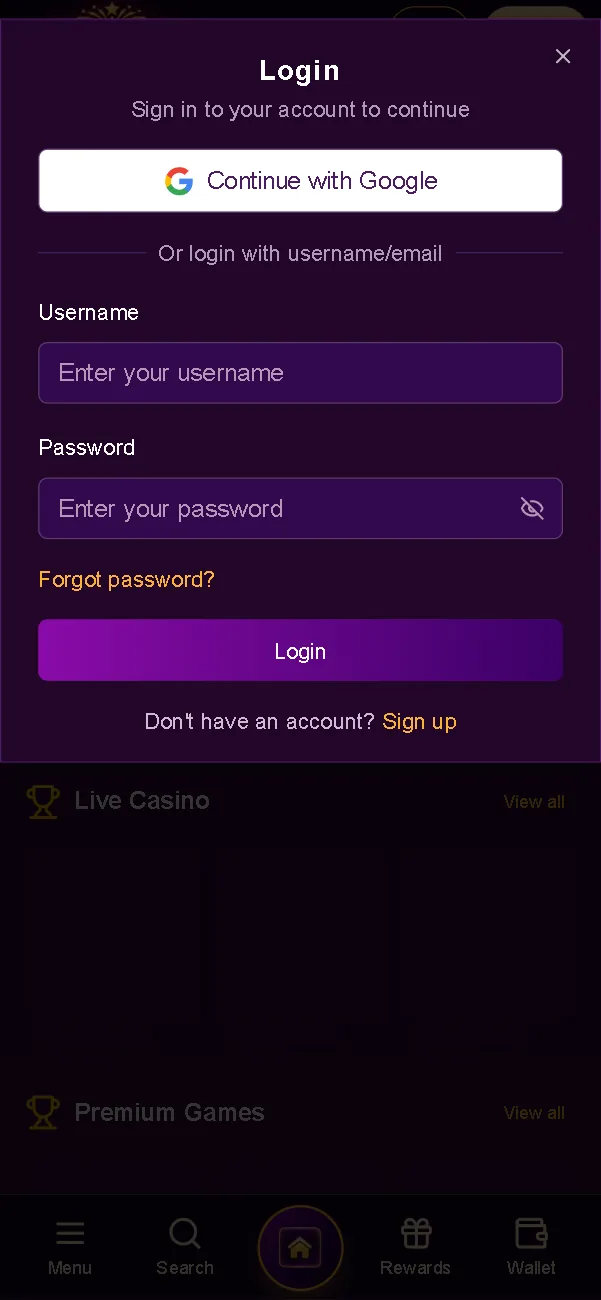
Tap Login at the top right and sign in with your account.
- 2
Check Transaction History
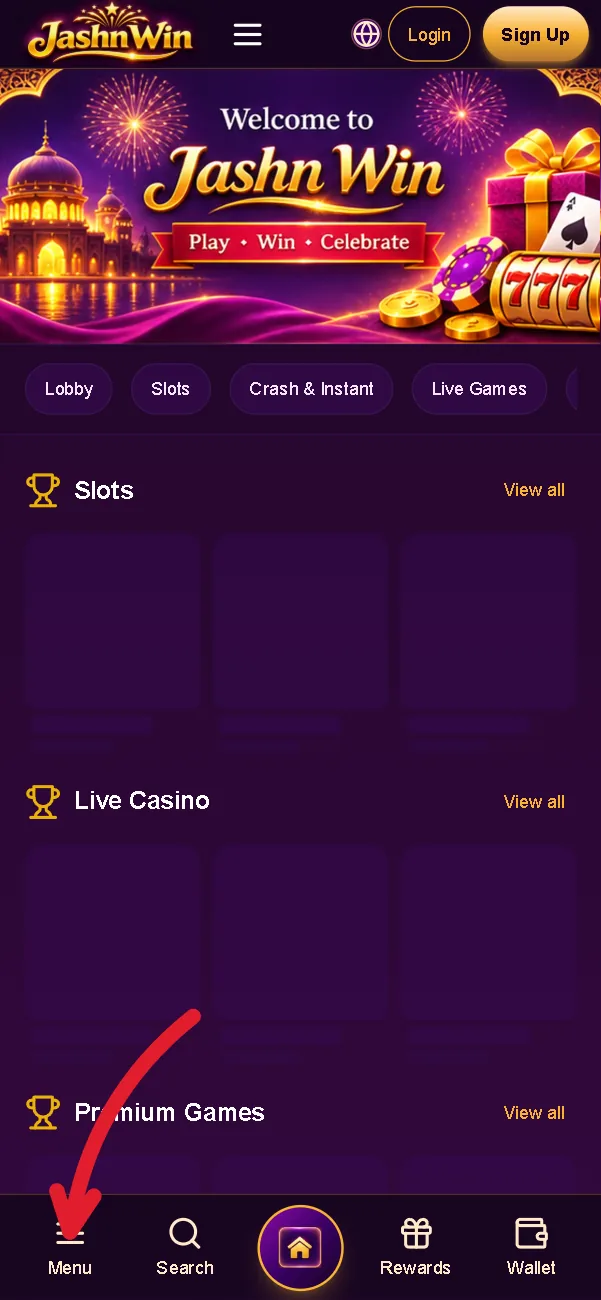
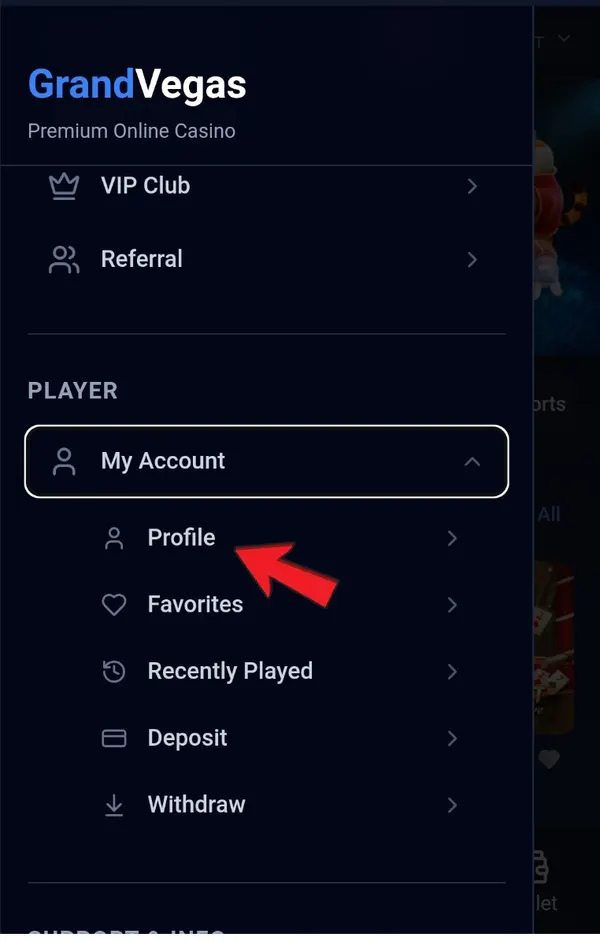
Tap the Menu icon at the bottom left.
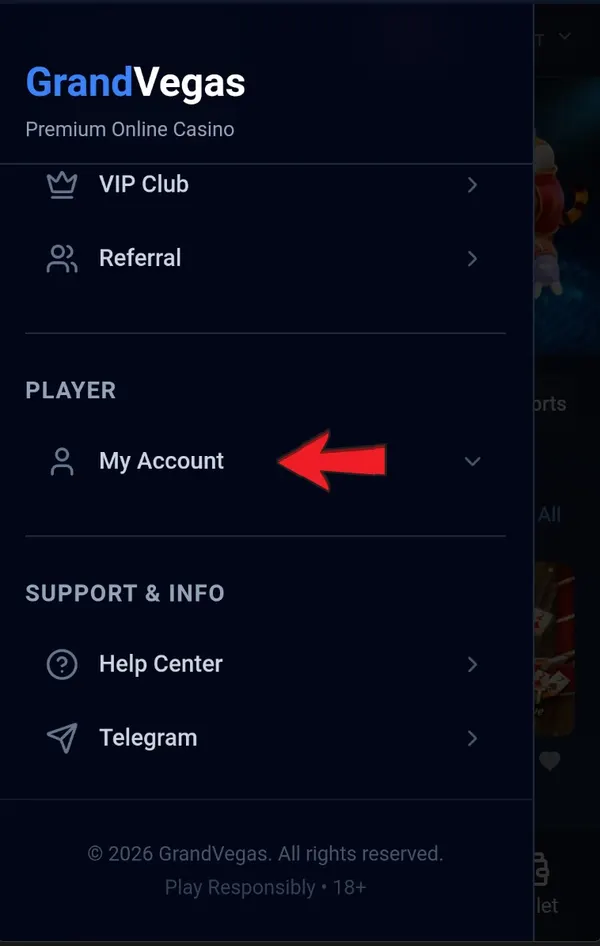
Go to Player Section → My Account → Profile.
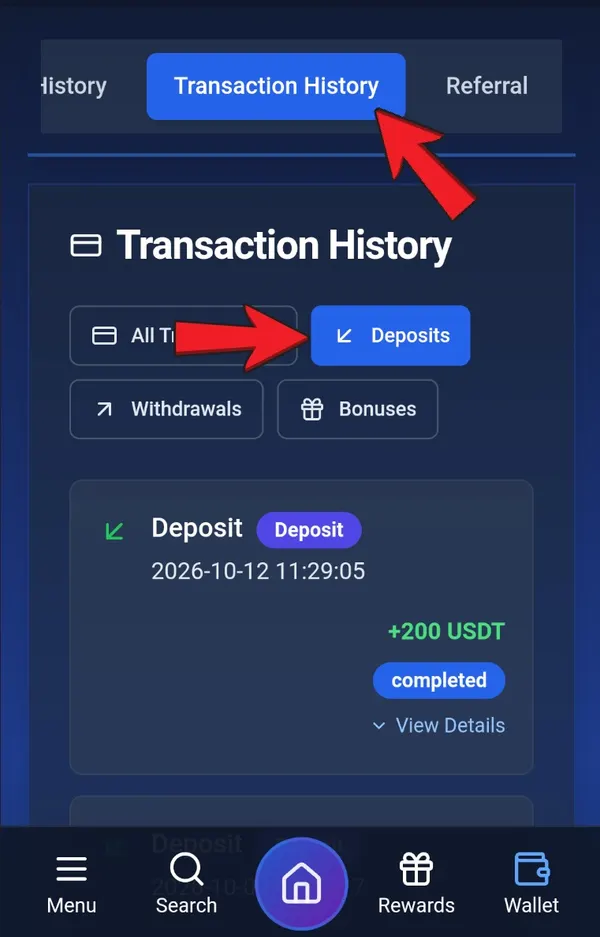
By default, you'll land in Overview. Drag the section right to left until you see Transaction History.
Tap Transaction History, then select Deposits.
Review the status of your deposit:
- Completed: Deposit has been processed successfully.
- Pending: Deposit is still being confirmed.
- Cancelled: Deposit did not go through.
- 3
Contact Support if needed
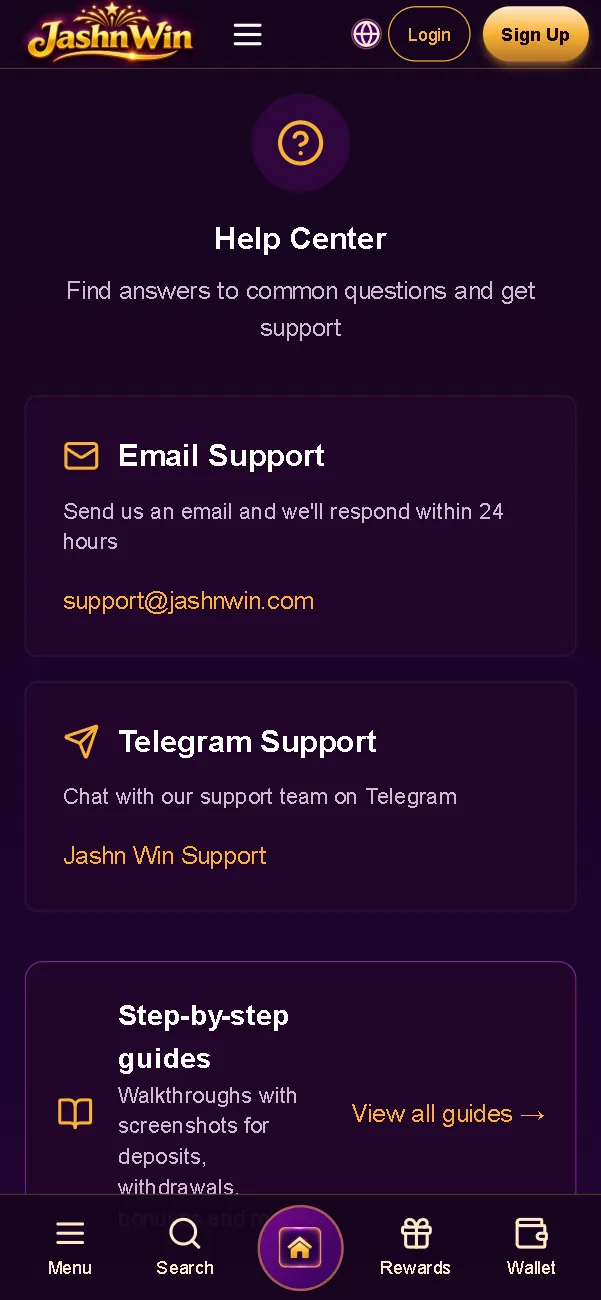
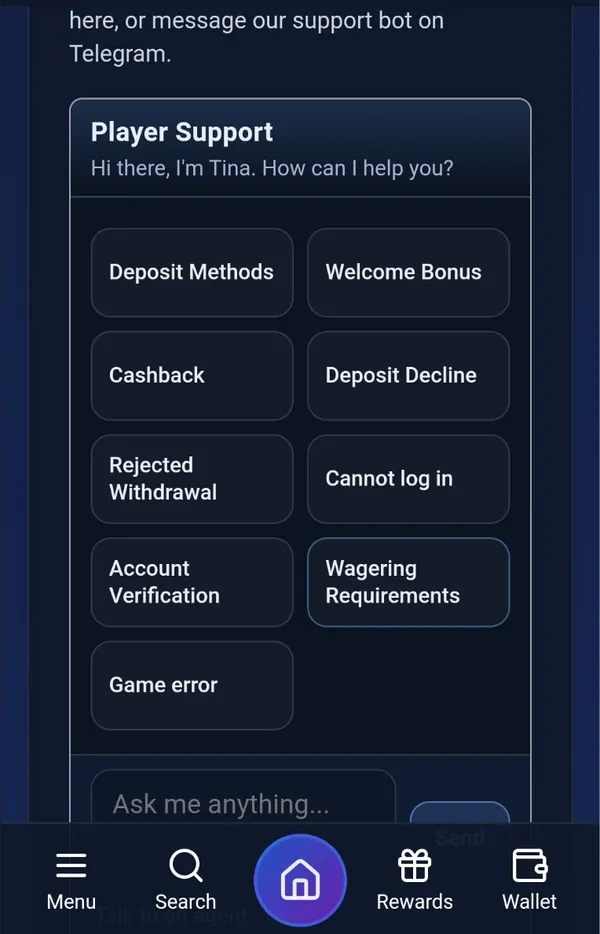
If your deposit is missing or stuck, go to the Support Info section:
- Tap Help Center from the menu.
- You can chat with a live support agent directly.
- Or send an email to Jashn Win support.
- 4
Prepare documents
Before contacting support, prepare the necessary documents:
- Transaction ID
- Deposit details (amount, date, method used)
- Screenshots or receipts from your crypto wallet/exchange
Providing these will help the support team resolve your issue faster.
Tips
- Always double check the blockchain network (TRON, Ethereum, BSC) when depositing.
- Confirm that you met the minimum deposit requirement.
- If your deposit shows as Completed but funds aren't in your account, contact support immediately.
Still need help? Visit the Help Center or email [email protected].